

Octopus screenshots (7)
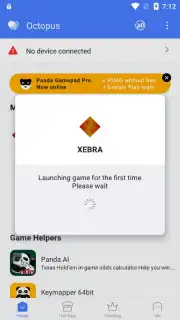
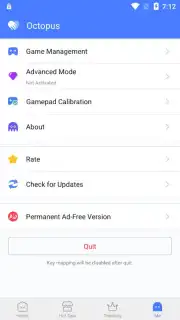
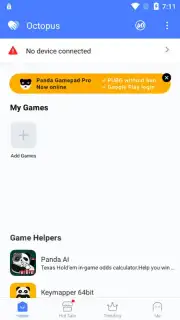
Description Octopus
Transform Your Mobile Gaming Experience with Physical Controls
Octopus is a utility application that redefines input for Android gaming by mapping touchscreen controls to external hardware. It functions as a configurable overlay, allowing users to play virtually any Android title with a keyboard, mouse, or gamepad. This shifts the interaction paradigm from direct screen contact to traditional desktop or console-style control schemes, which can significantly alter precision and comfort during extended gameplay sessions. The core functionality hinges on creating a fully customizable bridge between standard peripheral inputs and the touch events required by mobile games.
Detailed Analysis of Functionality and Configuration
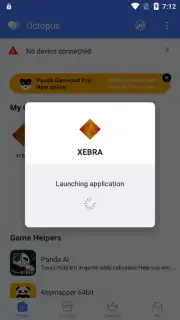
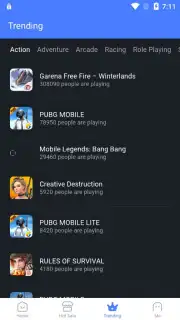
The application operates by requiring an initial synchronization of your Bluetooth or USB-connected devices. Following this, you select a game from your library to begin the key mapping process. The configuration interface allows you to assign specific keyboard keys, mouse buttons, or joystick axes to designated areas of the game’s screen overlay. A notable feature is the adjustable transparency for these on-screen mapping indicators, enabling users to minimize visual clutter for a more immersive view. The software includes a dedicated trends section that aggregates data on which games are currently popular within the Octopus user base, providing insight into optimal control schemes for titles like PUBG Mobile, Free Fire, and Rules of Survival.
The practical advantage lies in the granularity of control. For first-person shooters, mouse input can offer a level of aiming accuracy difficult to achieve with touch controls. In other genres, such as MOBAs or racing games, a full keyboard or gamepad can provide more tactile feedback and quicker command execution. The developer, Octopus Gaming Studio, offers a Turbo version of the app, which is promoted as removing advertisements and potentially enhancing performance. It is critical to note that the effectiveness and fairness of using such tools can vary per game and may be subject to the terms of service of the individual game developers.
- Enables keyboard, mouse, and gamepad control for any Android game installed on your device.
- Features a fully customizable on-screen button mapping system with adjustable transparency settings.
- Provides a community trends tab showing popular games and configurations among current users.
- Offers potential performance enhancements and an ad-free experience through its Turbo version.
- Can create a significant tactical advantage in competitive genres like battle royale and FPS games.
Download the Octopus app immediately to upgrade your mobile gaming setup and gain a new level of command. Don't wait to experience your favorite titles with the precision of physical controls!
Disclaimer: This application requires a stable internet connection for initial setup and access to certain features. Some functions or the removal of advertisements may require an in-app purchase.
Information
| Version | 7.2.8 |
| Developer | Octopus Gaming Studio |
| Requirements | Android Android + 4.4+ |
| Updated | 17.03.2026 |
| Size | 14.87 MB |
| Package | com.chaozhuo.gameassistant |
| Signature | be0dd2bc8fa3b534241f91f8b66d1c50 |
| Architecture | arm64-v8a |


