

Office Viewer screenshots (4)
Description Office Viewer
Imagine a scenario where you need to open a critical business proposal stored on your device, only to be met with an unsupported format error or a cluttered, ad-ridden viewer. This common digital roadblock is precisely what Office Viewer by Cyper Appie Studio is engineered to eliminate. This application functions as a comprehensive document hub, designed for users who require immediate, unfettered access to a wide array of file types without navigating through complex software interfaces. Its core operation centers on providing a streamlined, efficient platform for viewing, organizing, and interacting with personal and professional documents directly from a mobile device.
Core Functionality and Interface Design
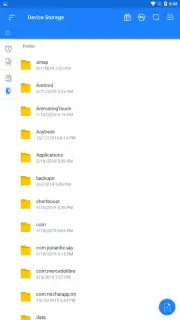
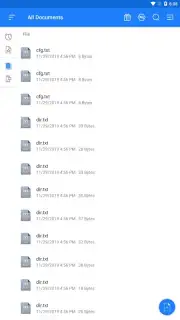
Office Viewer operates on a principle of direct accessibility. Upon launching the application, the main interface presents a clean catalog of all compatible documents stored on the device, allowing for rapid visual scanning and retrieval. A defining mechanical feature is its filtered search capability; users can specify a document category—such as spreadsheets or presentations—and the application will instantly display all matching files, effectively segregating data types for targeted access. The navigation is intentionally minimalistic, reducing the process of opening a file to a few taps. Performance analysis indicates the engine is optimized for speed, processing and rendering documents, including complex PDFs and large spreadsheets, within seconds, which is critical for handling invoices, academic projects, or contractual documents under time constraints.
Analytical Review of Tools and Format Support
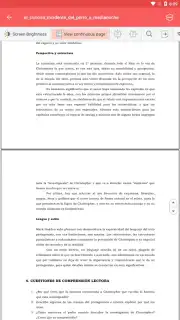
Beyond basic viewing, the application integrates a suite of practical interaction tools. Users can adjust image display parameters, activate a night mode to reduce eye strain, zoom into specific document sections for detailed examination, and select and copy text fragments for external use. The integrated bookmarking system provides an organizational layer, enabling users to tag and categorize documents for simplified future access, which transforms a static viewer into a manageable document library. From a compatibility standpoint, Office Viewer’s architecture supports an extensive range of formats, including DOC, DOCX, XLS, XLSX, PPT, PPTX, PDF, TXT, ODT, and archived ZIP files. This broad compatibility ensures that encountering an unreadable file format becomes a rare exception, covering nearly all standard document types used in business and academic environments.
Detailed Feature Breakdown
- Extensive format compatibility for DOC, XLS, PPT, PDF, TXT, ODT, and ZIP archives.
- Filtered document scanning to display only specific file types like spreadsheets or slides.
- Interactive viewing tools including zoom, night mode, and text copy functionality.
- Integrated bookmarking system for organizing and rapidly accessing key documents.
- Ad-free Turbo experience ensuring an uninterrupted workflow and faster processing.
The utility of this application is measured by its ability to remove friction from document access. It positions itself not as a feature-heavy editor, but as a highly efficient and reliable viewer, which is a specialized tool often overlooked in mobile productivity. For professionals, students, or any individual managing a diverse digital paper trail, it provides a centralized and predictable environment for document interaction.
Download Office Viewer now and eliminate document compatibility issues from your device immediately!
Internet required. IAP available.
Information
| Version | 182 |
| Developer | Cyper Appie Studio |
| Requirements | Android Android + 4.1, 4.1.1+ |
| Updated | 17.03.2026 |
| Size | 60.22 MB |
| Package | com.officeword.word.docx.document.viewer |
| Signature | c23fdda257f1db39dbff152747b170cc |
| Architecture | armeabi-v7a, arm64-v8a |


