

Official XBMC Remote screenshots (4)
Description Official XBMC Remote
A Direct, Open-Source Interface for Total XBMC Media Center Control
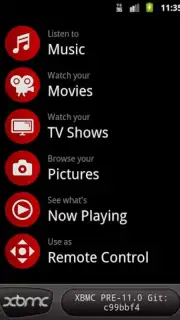
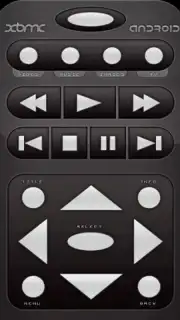
This application provides a functional remote control replacement, transforming an Android device into a dedicated management terminal for any XBMC (now Kodi) multimedia installation. It operates as an open-source tool, enabling direct communication with the media center's library and playback functions beyond the scope of a standard infrared remote. The interface replicates core navigation controls while surfacing detailed metadata and integrating community-driven content ratings directly into the user's browsing experience.
Core Functionality and Extended Utility
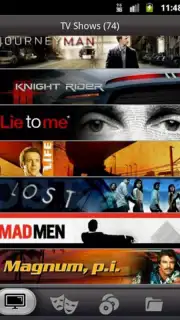
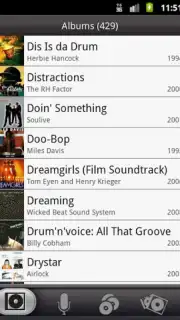
The primary utility lies in executing standard transport commands—play, pause, stop, and volume control—for video, audio, and image libraries. However, the application extends its functionality by pulling and displaying extensive information about the selected media file, including synopsis, cast, and technical details. A significant operational feature is the integrated Turbo mode, which removes all advertising elements from the application interface. Furthermore, the tool incorporates a social layer, allowing users to rate movies and TV shows personally and view the aggregate average scores provided by the broader user community. This transforms the device from a simple remote into a networked media discovery and management panel.
- Comprehensive Media Control: Manage playback, navigation, and volume for your entire XBMC/Kodi video, music, and photo library remotely.
- Detailed Metadata Display: Access in-depth information, cover art, and descriptions for any selected item in your media center's database.
- Ad-Free Turbo Operation: Utilize the Turbo option to eliminate all advertisements within the remote application for an uninterrupted experience.
- Integrated Community Ratings: Rate content personally and see average user scores directly within the remote's browsing interface.
- Android-Centric Social Access: Leverage your device to engage with a social content layer, enhancing discovery beyond basic remote functions.
This tool is positioned as a substantial upgrade for dedicated XBMC/Kodi users seeking deeper integration and control. Download the Official XBMC Remote app now to convert your Android device into an advanced media command center. This version offers exclusive, ad-free access for the first wave of users implementing the Turbo feature.
Disclaimer: This application requires an active network connection to communicate with your XBMC/Kodi media center and access online features. Functionality is dependent on a compatible XBMC/Kodi installation. The Turbo feature may be subject to change.
Information
| Version | 1.0.9 |
| Developer | Team XBMC |
| Requirements | Android Android + 1.5+ |
| Updated | 17.03.2026 |
| Size | 4.92 MB |
| Package | org.xbmc.android.remote |
| Signature | 7021d6aa1a49f8f137471275334b3d9b |


