

OI File Manager screenshots (4)
Description OI File Manager
A Practical Solution for Direct Android File Management
Managing files directly on an Android device, particularly on an SD card, often requires a straightforward tool that bypasses system complexity. The OI File Manager addresses this by providing direct access to the device's storage for fundamental file operations. Its primary function is to serve as a hands-on utility for users who need to organize, transfer, and manipulate files without intermediary software or connecting to a computer.
Core Functionality and Interface Design
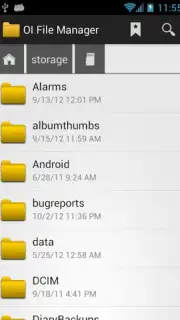
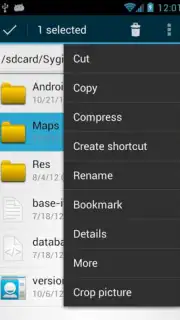
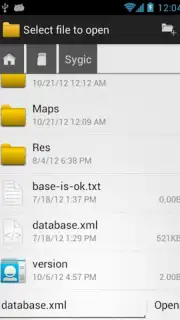
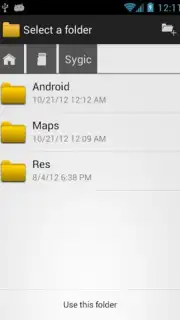
The application operates on a principle of direct manipulation, allowing users to create new directories and perform actions like copy, move, or delete on a wide range of file types. A defining characteristic is its user interface, which is structured for immediate comprehension. The layout minimizes the learning curve, presenting file hierarchies and action menus in a logical format that does not require consulting external guides. This design extends to media handling, where the app generates thumbnail previews for image files, facilitating visual identification during management tasks.
Integrated Sharing and Cloud Capabilities
Beyond basic organization, OI File Manager incorporates sharing protocols that streamline workflows. A long-press on any file activates a context menu with options to send the file directly as an email attachment or upload it to cloud storage services like Dropbox. This integration removes the step of first moving files to a dedicated sharing application. The process is contained within the file manager's environment, promoting efficiency for users who regularly distribute or back up specific documents and media from their local storage.
- Perform essential file operations including creating directories and copying or deleting various files.
- Navigate with an intuitive interface designed for immediate use without tutorials or manuals.
- View visual thumbnail previews for quick identification of image files during management.
- Share files directly via email or upload to Dropbox from within the app's context menu.
- Manage SD card and local device storage contents through a single, unified file system browser.
Get direct control over your device's storage and streamline your file workflow. Download OI File Manager now to organize and share your content efficiently.
Note: This application requires an internet connection for cloud upload features and may offer optional in-app purchases. Functionality for SD card management may vary by device and Android version.
Information
| Version | 2.3.2 |
| Developer | OpenIntents |
| Requirements | Android Android + 4.0, 4.0.1, 4.0.2+ |
| Updated | 17.03.2026 |
| Size | 2.49 MB |
| Package | org.openintents.filemanager |
| Signature | a0174b2f879b2fe11769d115f00a894f |


