


OS 26 Launcher, iLauncher Pro screenshots (7)



Description OS 26 Launcher, iLauncher Pro
Tired of the Same Old Phone Screen?
Does your Android home screen feel generic, cluttered, or just plain slow? You unlock your device dozens of times a day, yet the interface rarely feels like it was truly designed for you. What if you could transform that static grid of icons into a dynamic, efficient, and deeply personal command center? OS 26 Launcher, iLauncher Pro steps in to replace your device's standard launcher, offering a level of customization and control that goes far beyond simple wallpaper changes. This tool rebuilds your interaction with the phone from the ground up, prioritizing your visual preferences and workflow efficiency over a one-size-fits-all approach.
Craft a Home Screen That Actually Feels Like Home
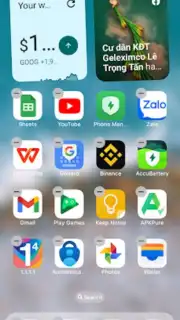
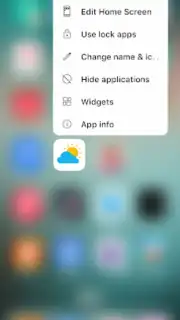
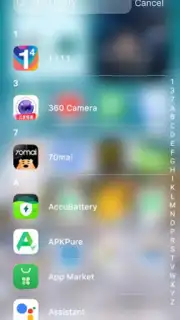
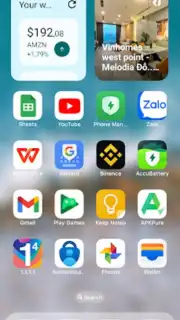
The core experience revolves around giving you architectural control over your device's layout and aesthetics. You begin by selecting from a vast, constantly updated library of themes, ranging from sleek, minimalist designs that emulate the latest OS styles to vibrant, widget-rich interfaces that surface information at a glance. Each theme applies a cohesive visual package, but the real power lies in tweaking every element afterwards. You can replace individual app icons with custom packs or your own images, rename applications for clarity, and organize everything into intelligently grouped folders or a hidden app drawer that keeps only your daily essentials visible on the main canvas.
Navigation becomes fluid and intuitive with extensive gesture support. You can assign actions like launching a specific app, opening the notification panel, or toggling the flashlight to simple swipes or double-taps on the home screen. This minimizes tedious searching and lets you operate your phone faster. The "Today View" is a standout feature, acting as a consolidated dashboard where you can pin live weather updates, calendar event reminders, frequent contacts for quick calling, and system tools. It ensures your most critical information is never more than a swipe away, eliminating the need to open multiple apps for a simple status check.
Performance and privacy are treated as fundamental features, not afterthoughts. The launcher is engineered for speed, aiming to eliminate animation stutters and reduce app launch times for a consistently smooth feel. For security, you gain the ability to lock sensitive applications—like messaging or banking apps—behind a password, PIN, or pattern, adding a vital layer of privacy even if someone else is briefly using your phone. Furthermore, the option to completely hide apps from the drawer and home screen offers discreet organization for applications you prefer to keep out of sight.
Key Features at a Glance
- Complete visual theme customization
- Advanced gesture-based navigation controls
- Integrated "Today View" information dashboard
- App locking and hiding for privacy
Download OS 26 Launcher, iLauncher Pro Now
We suggest taking direct control of your Android experience by installing OS 26 Launcher, iLauncher Pro. The setup process is straightforward, guiding you through the initial permissions and theme selection to quickly personalize your space. Consider downloading it today to replace the static, limiting interface you currently have with a dynamic, efficient, and truly personalized smartphone environment.
Disclaimer: This application requires an internet connection for downloading themes and updates. It may offer in-app purchases for premium themes or features. The app uses accessibility services for certain gesture controls and may require permissions to access your contacts, calendar, and storage for full functionality. Data usage depends on theme downloads and update frequency. Please be aware that replacing your system launcher is a significant change; ensure you understand the default reset procedure for your device.
Information
| Version | 3.2 |
| Developer | Launcher Software |
| Requirements | Android Android + 6.0+ |
| Updated | 17.03.2026 |
| Size | 47.62 MB |
| Package | com.iosstudio.iphonelauncher |
| Signature | 03ce40250191fd32e1a966dbde8805a8 |
| Architecture | universal |


