

Outlook.com screenshots (7)
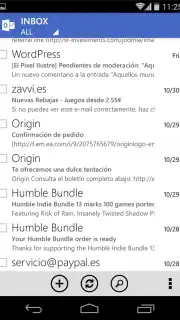
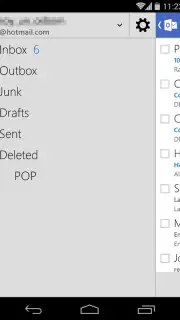

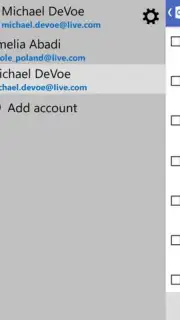
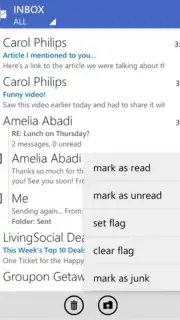
Description Outlook.com
Your workday begins not at your desk, but in line for coffee. A critical project update arrives in your inbox, a calendar reminder for a meeting in 10 minutes pings, and a colleague shares a document—all before you’ve taken your first sip. The Outlook.com mobile app transforms this potential chaos into a streamlined workflow, putting the full power of Microsoft’s email and productivity platform directly into your hand. It is engineered not as a simplified mobile viewer, but as a comprehensive command center for managing multiple email accounts, coordinating schedules, and collaborating on the go, directly from your smartphone or tablet.
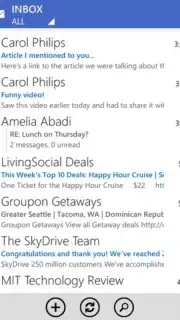
The application provides a unified inbox that aggregates messages from various email services, including Outlook, Hotmail, Gmail, Yahoo, and iCloud, allowing for centralized management without constant account switching. Its integrated calendar system pulls events from all connected accounts, enabling you to view, create, and edit appointments with automatic conflict detection and smart scheduling suggestions. A focused inbox algorithm separates high-priority messages from less urgent newsletters and promotions, while swipe gestures allow for rapid archiving, deletion, or scheduling of emails for later follow-up. The app includes full support for attaching files directly from your device, OneDrive, Dropbox, and other cloud storage services, and offers the ability to view and edit Word, Excel, and PowerPoint attachments without leaving the application.
Core Functionality and Tools
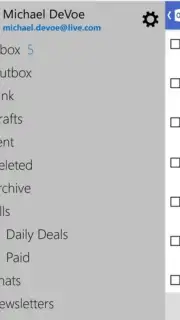
- Unified Multi-Account Management: Log in to and seamlessly switch between numerous personal, work, and academic email accounts from a single, consolidated interface.
- Integrated Calendar and File Hub: Synchronize and manage multiple calendars while accessing, attaching, and previewing documents from integrated cloud storage platforms.
- Focused Inbox with Smart Actions: Automatically filters essential correspondence to the top and enables quick file, delete, or schedule actions with customizable swipe gestures.
Do not let your productivity be anchored to a desk. Download the Outlook.com mobile app now and command your communications, schedule, and files from anywhere. Install it immediately to synchronize your professional life across all devices!
Disclaimer: This application requires an active internet connection for full functionality. It may offer in-app purchases for additional premium features. Data usage charges may apply depending on your network plan. User age restrictions may apply based on regional regulations. Please review the app's privacy policy for details on data collection and usage.
Information
| Version | 7.8.2.12.49.9884 |
| Developer | Microsoft Corporation |
| Updated | 17.03.2026 |
| Size | 9.59 MB |
| Package | com.outlook.Z7 |
| Signature | bfbfa17bd219bcfa59f2c1b1d3972f15 |


