


Screen Stream over HTTP screenshots (4)
Description Screen Stream over HTTP
A Practical Tool for Wireless Screen Mirroring to Any Browser
Screen Stream over HTTP provides a direct method for broadcasting a mobile device's display to a web browser. The core functionality relies on creating a local HTTP server on the device, generating a live video feed accessible via a simple IP address and port combination. This approach bypasses the need for proprietary receiver software, as any modern browser on a connected computer, tablet, or smart TV can function as the viewing portal. The primary operational requirement is that both the streaming device and the viewing device share the same local Wi-Fi network.
Functional Analysis and Interface Mechanics
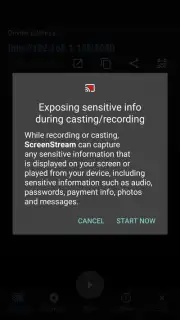
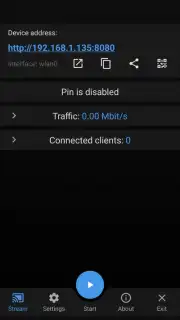
The application's interface is designed for immediate utility. Upon launch, the user is presented with a central control button to initiate the stream. Granting standard screen recording permissions is the only prerequisite setup. Once activated, the app displays a clear URL or IP address. Entering this address into a browser on another device within the same network instantly begins the mirroring session. Termination is equally straightforward, executed by stopping the stream within the app, which closes the local server connection. The absence of complex menus or configuration screens minimizes potential points of failure.
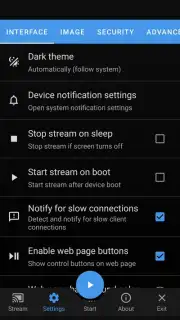
For users requiring extended functionality, an optional Turbo mode is available. This typically enhances performance by adjusting video encoding parameters, potentially improving frame rate or reducing latency for a smoother streaming experience. The application operates without displaying advertisement banners or video interstitials during use.
- Browser-based streaming eliminates the need for dedicated receiver software on the viewing device.
- One-touch start and stop controls manage the entire streaming session lifecycle.
- Turbo mode provides configurable performance enhancements for reduced latency.
- Ad-free operation ensures an uninterrupted viewing experience during presentations.
- Ideal for demonstrating mobile app interfaces or sharing content in local meetings.
Download Screen Stream over HTTP now—this version offers exclusive, ad-free access for the first 1,000 users today only.
Heads up: you'll need wifi for most features. Some cool stuff is extra.
Information
| Version | 4.3.3 |
| Developer | Dmitriy Krivoruchko |
| Requirements | Android Android + 6.0+ |
| Updated | 17.03.2026 |
| Size | 17.02 MB |
| Package | info.dvkr.screenstream |
| Signature | b0a60ea5165f51b84cccab6b7d6584f7 |
| Architecture | armeabi-v7a, arm64-v8a |


