

Package installer Google screenshots (4)

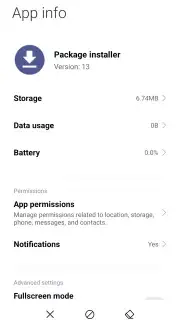

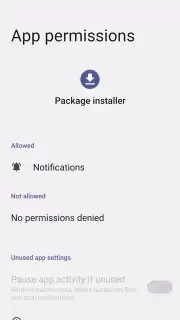
Description Package installer Google
What is the true purpose of the Google Package Installer on your Android device?
While many users may never interact with it directly, the Google Package Installer is a fundamental system component pre-installed on the vast majority of Android devices. This official Google application serves as the secure gateway for installing application packages, commonly known as APK files, from sources outside the Google Play Store. Its primary function is to manage the unpacking, verification, and integration of these software packages into your device's operating system. The process is typically initiated automatically when you tap on a downloaded APK file, triggering a clear, step-by-step installation interface that requests your explicit permissions before proceeding. This ensures you maintain control over what is being added to your device, providing a critical layer of security for sideloading applications.
The utility of this tool becomes particularly evident when troubleshooting or accessing software not available on official marketplaces. For instance, if an application fails to update correctly via the Play Store, downloading the latest APK version from a trusted developer's website and installing it via the Package Installer can often resolve the issue. The installer rigorously checks the APK for compatibility with your specific Android version and device architecture, preventing the installation of potentially harmful or incompatible software. It handles the entire technical process—from allocating storage space and extracting compressed files to registering the app with the system—all within a streamlined interface that usually completes in mere seconds, depending on the file size.
It is crucial to understand that while alternative third-party package installer applications exist, the Google Package Installer is integrated at a system level for optimal security and stability. Disabling or removing this component is not recommended, as it can lead to system instability and prevent the installation of critical updates. The application itself is remarkably lightweight, consuming approximately 3 MB of storage, and operates without any advertisements or unnecessary permissions. Its design philosophy prioritizes silent, reliable operation in the background, only presenting itself when user authorization is required for an installation, thus maintaining a clean and unintrusive user experience.
- Core APK Installation Engine: Securely unpacks and installs Android application package files from any trusted source outside the Play Store.
- System-Level Integration & Verification: Provides native compatibility checks and seamless integration with your device's core Android operating system.
- Minimalist & Efficient Design: A lightweight, ad-free tool that operates silently in the background, requiring minimal storage and system resources.
Download the official Google Package Installer today to regain full control over your device's software. This is a limited-time opportunity to ensure your system operates with its intended, secure installation framework. Exclusive access to stable, verified installations is just one tap away—secure your Android experience now.
Disclaimer: This system tool may require an internet connection for certain verification processes. It facilitates the installation of applications which may contain their own in-app purchases. Ensure you download APK files only from reputable sources.
Information
| Version | 13 |
| Developer | |
| Requirements | Android Android + 4.2, 4.2.2+ |
| Updated | 17.03.2026 |
| Size | 3.02 MB |
| Package | com.google.android.packageinstaller |
| Signature | 0c0a20bbf895f4dcaea3dd103055d19d |
| Architecture | universal |


