


PDF Extra - Scan, Edit & Sign screenshots (8)

Description PDF Extra - Scan, Edit & Sign
Your Pocket-Sized Document Powerhouse
Imagine needing a digital copy of a contract, a receipt, or a handwritten note, and having it ready in under a minute. That’s the reality with this tool. It transforms your device into a powerful scanner and editor, eliminating the clutter of physical papers. You capture a photo, and instantly, you have a professional, sharable PDF. This isn't just about scanning; it's about taking complete control of your documents wherever you are, turning chaotic stacks of paper into an organized digital library at your fingertips.
From Camera to Finished Document in a Few Taps
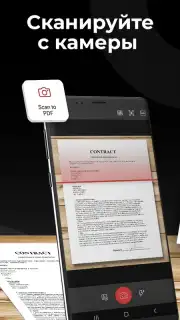
The process begins with the scan. You point your camera at any document—a textbook page, a business card, a whiteboard. The app intelligently detects the edges, but you have full manual control to adjust the crop with a simple finger drag. This means you can isolate a single paragraph from a full page or capture a multi-page contract seamlessly. After the capture, you aren't stuck with a simple image. You can fine-tune the output by adjusting the white balance and contrast, ensuring the text is crisp and the background is clean, whether the original was under yellow lamp light or bright sun.
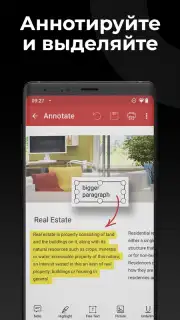
The true power unlocks after the scan. The built-in editor lets you interact with the PDF directly. You need to add a comment, fill in a form field, or highlight a critical clause? You do it right there without switching to another app. The optical character recognition feature actively works in the background, making the text in your scanned documents searchable and selectable. This means you can later find a specific contract by searching for a name or a keyword buried inside, turning a static image into dynamic, usable data.
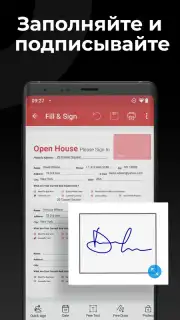
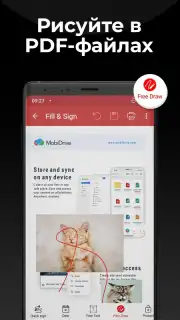
For finalizing documents, the signing tools are exceptionally straightforward. You can create a saved signature or draw one fresh directly onto the document. Placing it, resizing it, and setting the correct opacity feels intuitive, allowing you to sign proposals, approve forms, or initial agreements securely from your phone. The app supports multiple output formats, giving you flexibility; while PDF is the default for universal compatibility, you can also save pages as high-quality JPEG, PNG, or BMP images for other uses.
Core Features at a Glance
- High-Quality Document Scanner: Instantly create PDFs by photographing any physical document with automatic edge detection and manual cropping controls.
- Advanced Image Enhancement: Apply post-scan corrections like white balance adjustment and contrast modification for perfectly readable digital copies.
- Built-In PDF Editor: Annotate, highlight, add text, and fill forms directly within the app without requiring external software.
- Optical Character Recognition: Transform scanned images into searchable and selectable text documents for easy data retrieval.
- Digital Signature Management: Create, save, and place handwritten or typed signatures and initials onto any PDF securely.
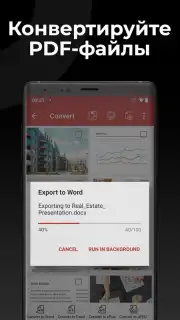
- Multi-Format Export: Save your documents not only as PDFs but also as BMP, PNG, or JPEG image files for maximum versatility.
- Ad-Free, Streamlined Interface: A clean, minimalist layout presents all core functions on one home screen for efficient, uninterrupted workflow.
We suggest trying PDF Extra to experience how it consolidates scanning, editing, and signing into one fluid, efficient process. Consider downloading it to replace your physical filing cabinet and streamline how you handle every document.
Download the PDF Extra - Scan, Edit & Sign mobile app now.
Heads up: you'll need wifi for initial download and optimal performance of some features like advanced OCR. Some premium tools and extended cloud storage options are available through in-app subscriptions.
Information
| Version | 11.12.270273 |
| Developer | MobiSystems |
| Requirements | Android Android + 8.0+ |
| Updated | 17.03.2026 |
| Size | 108.51 MB |
| Package | com.mobisystems.mobiscanner |
| Signature | 7beaa4f8136836cdcf61d92bcd0a6eb5 |
| Architecture | armeabi-v7a, arm64-v8a, x86_64 |


