

PDF2Go screenshots (4)
Description PDF2Go
Ever find yourself scrambling to edit a PDF just minutes before a deadline, only to be blocked by software that requires a desktop or a paid subscription? PDF2Go puts a complete document workshop directly on your mobile device, turning complex file tasks into simple, on-the-go operations.
Core Functionality & Tools
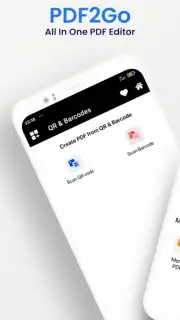
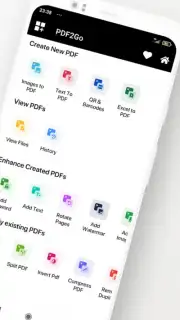
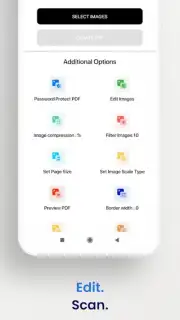
PDF2Go provides a comprehensive suite for managing PDFs and other document formats. The app allows for precise editing of text and images within existing PDF files, enabling direct corrections without needing the original source document. Users can merge multiple files into a single PDF, split large documents into smaller sections, or compress files to reduce their size for email. The toolset also includes conversion capabilities to and from formats like Word, Excel, PowerPoint, and JPG, facilitating easy format switching. For security and finalization, features like password protection, watermark addition, electronic signing, and page rotation are all accessible from the main interface.
Key Operational Advantages
The application is designed for efficiency with a clean, intuitive layout that groups functions logically, minimizing the learning curve. Processing is handled server-side to ensure heavy tasks like OCR or large file conversions do not drain device resources or battery. A unified workflow lets you perform multiple actions—such as compressing, then signing a document—in one continuous session without returning to the home screen. The visual output maintains high fidelity, preserving original formatting and image quality during edits and conversions.
- Edit PDF Content: Modify text, fonts, and images directly within any PDF file.
- Merge & Split Documents: Combine files or divide a PDF into chapters or single pages.
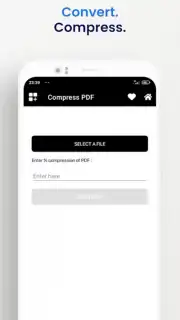
- Smart File Compression: Reduce PDF size while controlling output quality.
- Multi-Format Conversion: Convert between PDF, Word, Excel, PPT, and image files.
- Document Security & Signing: Add passwords, watermarks, and e-signatures for protection.
Transform your device into a mobile document hub. Download PDF2Go now and handle any file task directly from your phone.
Heads up: you'll need wifi for most server-based processing features. Some advanced tools and high-volume usage are part of optional premium plans.
Information
| Version | 1.1 |
| Developer | Bolt Apps Team |
| Updated | 17.03.2026 |
| Size | 36.46 MB |
| Package | com.pdf2go.pdfeditor |
| Signature | 62705a3c93c865ddab5ec1119d8f203d |
| Architecture | armeabi-v7a, arm64-v8a |


