


Perfect Video Cutter screenshots (4)
Description Perfect Video Cutter
Tired of Clunky Video Editors That Waste Your Time?
You have that perfect video clip, but it's buried inside a longer recording. You need to trim the start and end, but opening a complex desktop editor feels like overkill. You just want a fast, precise, and incredibly simple way to cut your videos directly on your phone, without losing quality or wrestling with confusing menus. That exact frustration ends here.
Precision Cutting at Your Fingertips
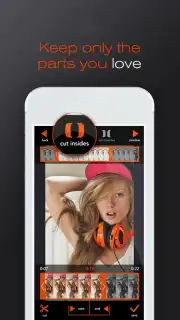
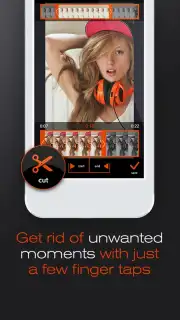
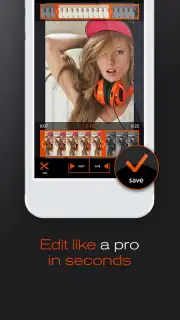
Perfect Video Cutter transforms your Android device into a streamlined editing suite focused on one core task: making clean, accurate cuts. You are guided through an intuitive process where you select any video from your gallery. The app then presents you with a clear timeline and a preview window. You simply drag the start and end markers to the exact frame where you want your new clip to begin and end. The interface is designed for touch, giving you pinpoint control to isolate the perfect moment, remove unwanted sections, or split a long video into smaller, shareable parts.
Key Advantages That Make Editing Effortless
- Lossless Quality Export: Your final cut video is saved in its original resolution and quality. There is no compression or generational loss, ensuring your memories stay sharp and clear.
- Blazing Fast Processing: Experience near-instant trimming. The app processes your cuts quickly, so you are not left waiting. Get your edited video ready to share in seconds.
- Ultra-Simple, Clean Interface: Every button and slider is exactly where you expect it to be. There are no hidden features or confusing modes—just a straightforward path from selecting your video to saving the trimmed result.
- Frame-Accurate Control: Zoom in on the timeline for meticulous editing. This level of control allows you to cut at the exact moment a smile appears or right before a camera shake, ensuring a professional-looking result.
- No Watermarks, Ever: Your creations remain entirely yours. The app does not add any logos or branding to your exported videos, giving you clean content ready for any platform.
Don't let another great video go unused because trimming it seems like a chore. Get the tool that respects your time and your content.
Download Perfect Video Cutter now and start creating perfect clips in seconds!
Disclaimer: This application requires an internet connection for initial download and potential updates. The app may contain optional in-app purchases for advanced features. Please be aware of your mobile data usage. The app is rated for general audiences. User data privacy is subject to the developer's policy.
Information
| Version | 2025-17-06 |
| Developer | Rakhi Krishna |
| Requirements | Android Android + 10+ |
| Updated | 17.03.2026 |
| Size | 46.2 MB |
| Package | video.cut.editor |
| Signature | e0f0487c96a91974815db35ed7dcba3c |
| Architecture | armeabi-v7a, x86, arm64-v8a, x86_64 |


