

Phone Copier screenshots (8)
Description Phone Copier
Stuck Setting Up Your New Phone? This App Moves Everything in Minutes.
Switching to a new smartphone should feel exciting, not exhausting. You’re left staring at a blank screen, dreading the hours it will take to manually move your contacts, messages, and vital data. What if you lose precious conversations or important numbers in the process? That familiar stress ends now. Phone Copier by Compelson Labs is engineered to eliminate the friction of phone migration, transforming a complex chore into a simple, guided process. Whether you’re upgrading to the latest model or switching between Android and iOS, this tool ensures your digital life transitions seamlessly to your new device.
Your Complete Data Migration Command Center
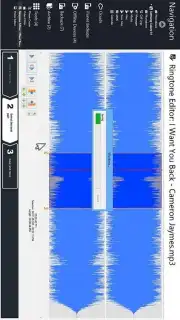
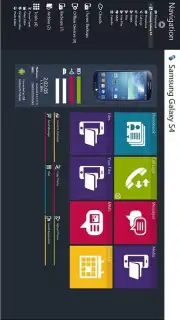
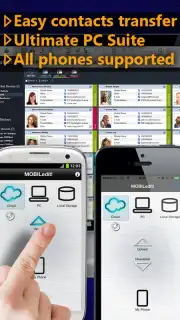
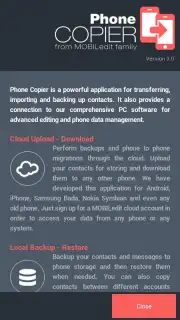
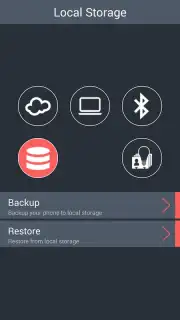
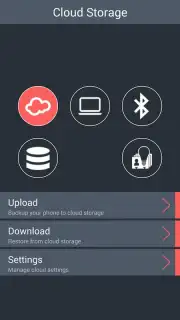
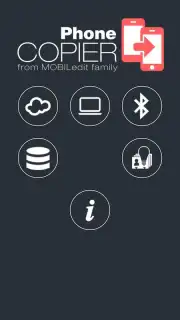
Phone Copier operates as your personal migration assistant, supporting a vast array of phone brands including Samsung, Apple, Nokia, and Motorola. The process begins the moment you install the app on both your old and new devices. You are presented with multiple, robust transfer pathways designed to fit your specific situation. Choose a direct, peer-to-peer Bluetooth transfer for ultimate simplicity and offline security. Alternatively, opt for the encrypted internet storage function, which acts as a secure middle ground, allowing you to upload data from one phone and download it to another at your convenience. For maximum control and PC integration, you can utilize the MOBILedit software connection, turning your computer into a powerful management hub for the transfer.
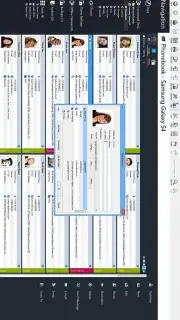
Beyond mere copying, the app provides intelligent tools to organize your digital footprint. The phone book optimizer cleans and deduplicates your contacts, while the SMS management tools let you archive, sort, and manage years of messages. You can even consolidate messages from multiple old devices into a single, searchable archive within the app, making it effortless to find and reference past conversations. System indicators for battery and memory levels keep you informed about your device’s health during the data-moving process. For the Pro experience, an in-app purchase unlocks the powerful Turbo mode, removing any transfer limits and granting full access to the advanced message archive and priority support, ensuring the fastest possible migration without advertisements.
Security is woven into every transfer method. When using the internet storage function, your data is protected with bank-grade encryption protocols, ensuring your private contacts and messages are for your eyes only during the transfer process. The app’s reliability is proven, trusted by millions of users and recognized by industry professionals as a gold-standard solution for mobile data transfer.
Key Features at a Glance
- Universal Phone Support: Seamlessly transfer data between thousands of models from major brands like Apple, Samsung, Nokia, and Motorola.
- Multiple Transfer Methods: Select from direct Bluetooth transfer, secure encrypted internet storage, or PC-connected transfer via MOBILedit software for full control.
- Intelligent Data Management: Utilize the phone book optimizer to clean contacts, advanced SMS tools to manage messages, and a consolidated message archive from multiple devices.
- Bank-Level Security: Your data is protected during cloud-based transfers with high-grade encryption, similar to online banking standards.
- Pro Turbo Mode: Unlock via in-app purchase for an ad-free experience, unlimited transfer capabilities, and access to the full message archive system.
- System Insights: Monitor your device’s status with clear indicators for battery life and available memory during the migration process.
Don't waste another minute manually copying data or risking the loss of important information. Make your next phone upgrade the smoothest you’ve ever experienced. Download Phone Copier now and move your entire digital life in just a few taps!
Download mobile app now!
Disclaimer: This application requires an internet connection for certain features, including the encrypted internet storage transfer and software updates. The Pro features, including Turbo mode and the full message archive, are available via in-app purchase. The app may require access to device storage, contacts, and SMS to perform its core functions. Data charges may apply. Use in accordance with the terms of service and privacy policy. This is a data utility tool and is not intended for use by young children.
Information
| Version | 4.10.99-29666 |
| Developer | Compelson Labs |
| Requirements | Android Android + 4.0, 4.0.1, 4.0.2+ |
| Updated | 17.03.2026 |
| Size | 2.09 MB |
| Package | com.compelson.migrator |
| Signature | fd66172062da0eda324cbb100138fa0d |
| Architecture | universal |


