

Photo Design Editor screenshots (4)
Description Photo Design Editor
The Challenge of Standout Visuals
In a digital landscape saturated with images, creating a graphic that captures attention and communicates effectively is a common hurdle. Standard photo editors often lack the integrated design tools necessary to combine photography with typography, layout, and graphical elements seamlessly. This gap forces users to juggle multiple applications to achieve a polished, publication-ready result.
Core Editing and Design Mechanics
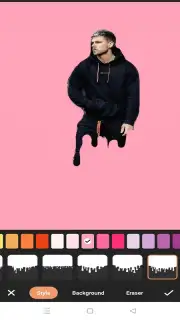
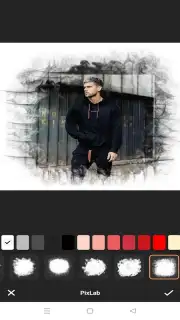
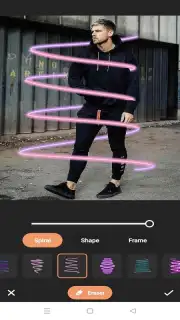
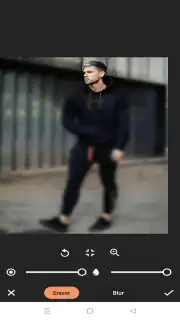
Photo Design Editor functions as a hybrid workspace, merging layer-based photo manipulation with vector graphic design principles. The primary interface is built around a canvas system where users can import a base photograph and then superimpose text, shapes, stickers, and additional image layers. Each element exists on an independent layer, allowing for non-destructive editing, meaning adjustments to one component, such as a text box's opacity, do not permanently alter the underlying photo. The toolset is divided into logical modules: a comprehensive photo correction suite, a typography engine with font management, a library of pre-designed graphical assets, and a set of drawing tools for custom illustrations.
A key operational mode is the template-driven workflow. The application provides categorized templates for social media posts, marketing materials, and personal projects, which serve as structured starting points. Users can deconstruct these templates, replacing placeholder images and modifying text while retaining the original professional layout and color scheme. For advanced users, a blank canvas mode offers complete control over dimensions, background, and every design element from the ground up. The export process includes resolution presets optimized for various platforms, ensuring the final design is technically suited for its intended use, whether for high-quality print or digital sharing.
Analytical Feature Breakdown
The application's utility is defined by its integration of discrete, powerful tools into a single streamlined process.
- Layer-based non-destructive editing workflow
- Professional typography and text styling tools
- Extensive library of templates and design assets
- High-resolution export with platform-specific presets
Obtain Your Creative Toolkit
Download the mobile app now to unify your photo editing and graphic design process in one efficient workspace.
Disclaimer: This application requires an internet connection for certain features, including accessing online template libraries and asset downloads. It may contain optional in-app purchases for premium design elements, fonts, and advanced functionality. The app is intended for a general audience but involves digital transactions. User data may be collected in accordance with its privacy policy to improve service performance.
Information
| Version | 1.0 |
| Developer | emaluaenbrown |
| Updated | 17.03.2026 |
| Size | 54.97 MB |
| Package | com.phder.veowp |
| Signature | b54e0d4186a8d35815d364c63216cc67 |
| Architecture | arm64-v8a |


