

Photo Master screenshots (4)

Description Photo Master
Your Photos, Perfected: A Professional's Toolkit in Your Pocket
In a digital landscape saturated with images, standing out requires more than just a filter. Photo Master provides a comprehensive, precision-focused editing suite designed to transform casual snapshots into polished, professional-grade visuals. It addresses the core challenge for both enthusiasts and content creators: achieving high-fidelity edits without the complexity and cost of desktop software. This is not merely an app for applying effects; it is a systematic tool for controlling light, color, and detail with surgical accuracy.
Features & Core Mechanics
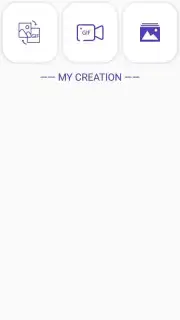
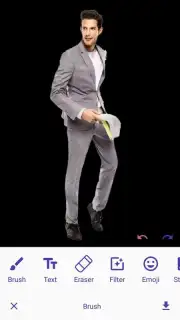
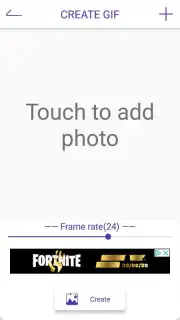
Photo Master operates on a layered, non-destructive editing principle, allowing users to experiment freely without degrading the original image data. The workspace is built around a core set of professional panels: a Curves Editor for tonal manipulation, a Selective Color tool for HSL (Hue, Saturation, Luminance) adjustments, and a Healing & Clone module for object removal and repair. Beyond standard corrections, it includes AI-powered features like Smart Object Selection for instant, precise masking and Sky Replacement that automatically matches lighting and perspective. The app supports layer-based editing, enabling the combination of multiple adjustments, text, and graphics with individual blend modes and opacity controls.
Key Advantages
The primary strength of Photo Master lies in its balance of depth and accessibility. It delivers desktop-level control through an interface optimized for touch, with customizable gesture shortcuts and a context-aware UI that presents only relevant tools. Performance is a key differentiator; the app utilizes hardware acceleration to render complex edits and apply high-resolution filters in real-time, even on older devices. Its export options are extensive, supporting various formats (including PNG with transparency and high-compression JPEG) and direct sharing presets for major social platforms, maintaining color profile integrity throughout the process.
- Professional-Grade Color & Tone Correction with curves, levels, and split-toning tools.
- AI-Enhanced Editing for one-tap object removal, background changes, and portrait retouching.
- Layer-Based Non-Destructive Workflow allowing for complex compositions and reversible edits.
- Extensive Filter Library & Custom Preset Creation to save and replicate your unique style.
- High-Resolution Export & Batch Processing for handling multiple images efficiently.
Download Photo Master Now
Stop compromising on your creative vision. Transform your photo gallery into a portfolio of stunning, publication-ready images. Get the professional advantage today.
Disclaimer: This app requires an internet connection for certain AI features and cloud sync. It may contain optional in-app purchases for premium filters and expansion packs. Please be aware of your data usage. This product is not intended for users under 4 years of age due to complexity. Parental guidance is advised.
Information
| Version | 1.5 |
| Developer | Linda hui |
| Requirements | Android Android + 5.0+ |
| Updated | 17.03.2026 |
| Size | 9.36 MB |
| Package | com.xiaoruirui.photo.master |
| Signature | 9b3863a81aaa515f8ed9e6c73cb98f78 |


