


PigeonCast - TV Cast & Mirror screenshots (5)
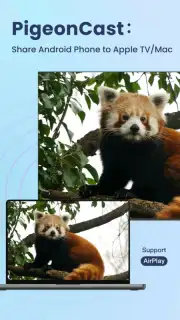
Description PigeonCast - TV Cast & Mirror
A Seamless Bridge Between Your Devices
The frustration of trying to share a video from your phone to a TV is a universal modern annoyance. PigeonCast eliminates that friction entirely, transforming your Android device into a powerful remote control for your larger screen. It’s a direct, high-fidelity conduit for your media, designed for those who value simplicity and reliability in their home entertainment setup.
Core Functionality and Analytical Overview
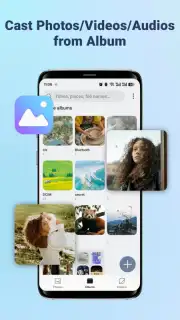
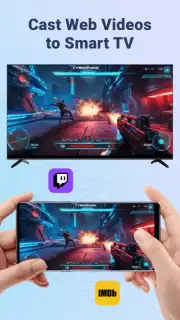
PigeonCast operates on the principle of local network streaming, commonly using protocols like DLNA, Chromecast, and Miracast. The application scans your Wi-Fi network for compatible devices—smart TVs, streaming sticks, gaming consoles, or PCs—and establishes a stable connection. Once linked, it provides a clean interface to browse your device's local media library or supported streaming apps. The core mechanic is selection and casting: you choose a video file, photo, or live browser tab, and with a single tap, it begins playing on the chosen receiver. The app handles the transcoding and data transmission in the background, aiming for minimal latency and synchronization between audio and video streams.
Key Technical and User Experience Advantages
The value of PigeonCast lies not in flashy features, but in refined execution where it matters most for screen mirroring and casting.
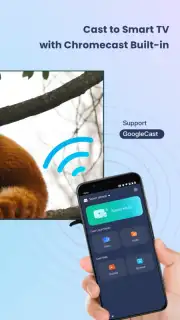
- Universal Receiver Compatibility: Connects to a wide array of devices including Smart TVs (Samsung, LG, Sony), Google Chromecast, Amazon Fire TV, and Windows PCs, maximizing utility regardless of your home setup.
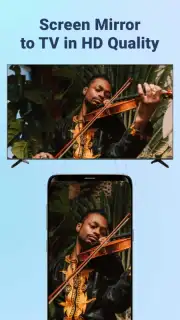
- High-Quality Video & Audio Streaming: Supports casting of local files in various formats (MKV, AVI, MP4) and streams audio in sync, aiming for a lag-free viewing experience without noticeable compression artifacts.
- Intuitive, Clutter-Free Interface: The design prioritizes device discovery and media selection, getting you from opening the app to casting on your TV in a minimal number of taps, with no intrusive ads during playback.
We suggest trying PigeonCast if your current casting solution is unreliable or overly complex. It presents a straightforward, effective method to liberate your media from the small screen.
Download mobile app now
Heads up: you'll need wifi for most features. Some cool stuff is extra.
Information
| Version | 1.0.0 |
| Developer | PigeonCast |
| Requirements | Android Android + 6.0+ |
| Updated | 17.03.2026 |
| Size | 33.59 MB |
| Package | com.pigeoncast.screen.mirroring |
| Signature | 003f8fcb7a91b598e192d1b244c71e84 |
| Architecture | armeabi-v7a, x86, arm64-v8a, x86_64 |


