


Polaris Office screenshots (11)



Description Polaris Office
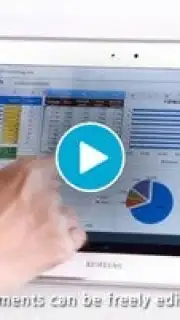
What if your Android device could function as a fully capable, portable office suite, eliminating the need to be tethered to a desktop for document work? Polaris Office by Infraware addresses this directly, providing a comprehensive mobile office system that handles creation, editing, and cloud-based management of documents. This review examines its mechanics as a business tool, assessing its file compatibility, synchronization ecosystem, and the practical implications of its cross-platform design.
Core Functionality and Document Handling
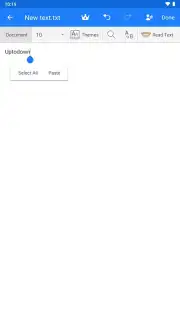
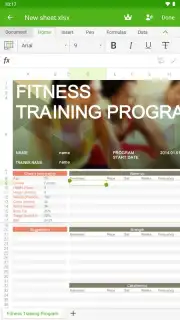
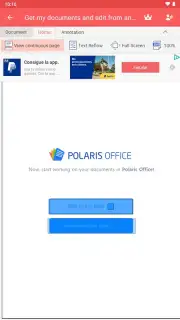
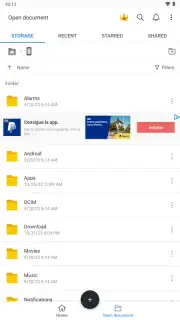
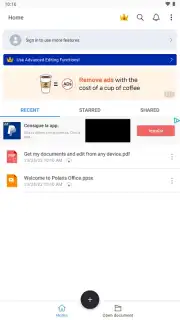
The application operates as a unified processor for office productivity. Its core function is the native support for creating and modifying text documents, spreadsheets, and presentations directly on a mobile device. A significant technical point is its role as a universal viewer; beyond standard formats, it can render PDFs for review and open specialized file types like TXT and the Korean HWP format. This extends its utility beyond creation to being a reliable tool for accessing nearly any document you might receive, with editing capabilities for most common formats. The architecture promotes a seamless workflow where documents are inherently linked to cloud storage, though local device work is also possible.
Storage, Sync, and the Turbo Advantage
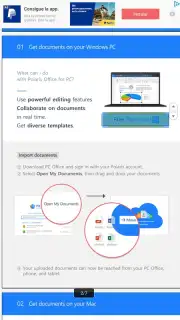
A defining characteristic of Polaris Office is its integrated cloud-centric model. The system provides a dedicated account for storing documents within its own ecosystem, ensuring automatic saving and version history. For users invested in other platforms, it offers robust synchronization gateways to third-party services including Dropbox, Google Drive, and Microsoft OneDrive. This dual approach allows for flexible data management strategies. The experience is further streamlined by the optional Turbo mode, which removes advertising and potentially enhances performance, contributing to an uninterrupted work environment. The utility is amplified by true cross-platform availability, with dedicated versions for desktop and tablet operating systems, enabling a project started on a phone to be picked up and refined on a computer without manual file transfers.
Detailed Feature Breakdown
- Multi-Format Document Editor: Create and edit Word documents, Excel-style spreadsheets, and PowerPoint-like presentations directly on your mobile device.
- Universal File Viewer & PDF Support: Open and review a vast range of files including PDFs, TXT, and HWP documents, ensuring compatibility with most received materials.
- Integrated Cloud Sync Ecosystem: Store files in the proprietary Polaris cloud or seamlessly connect and synchronize with Dropbox, Google Drive, and OneDrive.
The application effectively transforms an Android smartphone or tablet into a potent, pocket-sized office, consolidating viewing, editing, and cloud management into a single, portable interface. For professionals and students who require reliable document access and modification on the go, it presents a logically sound solution.
We suggest trying Polaris Office to experience a unified mobile and desktop workflow for your document tasks. Consider downloading the app to assess its utility for your specific productivity needs.
Disclaimer: This application requires an internet connection for full cloud synchronization and some features. It may contain in-app purchases for premium features or subscriptions, such as the Turbo mode. Data usage will apply when syncing documents over cellular networks. Please review the app's listing for specific age ratings and permissions regarding data access and storage.
Information
| Version | 9.9.16 |
| Developer | Infraware |
| Requirements | Android Android + 7.0+ |
| Updated | 17.03.2026 |
| Size | 109.76 MB |
| Package | com.infraware.office.link |
| Signature | 16936e438499f6d4a76faba26153d96c |
| Architecture | arm64-v8a |


