

PoMelo File Explorer screenshots (9)


Description PoMelo File Explorer
Take Back Control of Your Android's Digital Clutter
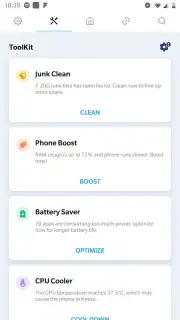
You know that feeling of digging through endless folders, unsure of what's hiding where, while your phone's storage mysteriously fills up. That era of digital disorganization ends now. PoMelo File Explorer is the comprehensive tool that hands you complete command over every document, file, and application stored on your Android device. It transforms your phone from a cluttered attic into a meticulously organized library, all while providing powerful optimization tools to wipe out space-wasting junk files in a single action.
A Command Center for Your Files
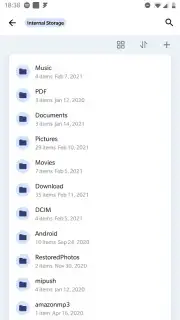
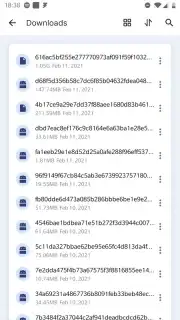
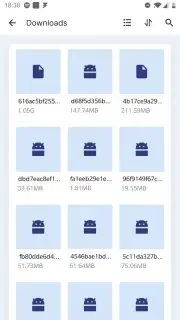
Navigating PoMelo File Explorer feels intuitive, putting every essential file operation at your fingertips. You can perform all the fundamental tasks—copying, pasting, cutting, creating, deleting, and renaming files and folders—with seamless precision. But this app extends far beyond basics. You can instantly share any document directly via email or any other installed application on your device, eliminating tedious steps. Moving through your directory structure is fluid and fast, with effortless backward and forward navigation that makes browsing deep folder hierarchies a simple task.
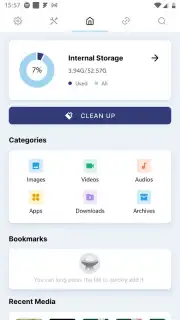
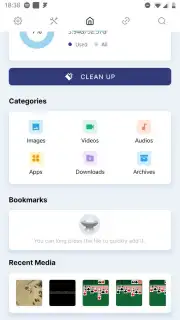
The integrated search function is a game-changer, equipped with smart filters that slice through the noise. Imagine searching and instantly filtering results to show only photos, only videos, or exclusively APK files. This last feature is particularly powerful for managing app installations; after installing an app from its APK, you can locate and delete the installer file in seconds, reclaiming precious storage immediately. Furthermore, the built-in junk file scanner performs a deep clean, identifying and allowing you to purge unnecessary cache and residual data to free up space rapidly. A detailed storage analyzer visually breaks down which file types are consuming the most room, giving you clear insights for ongoing management.
Why Your Android Needs This Tool
- Total File Mastery: Exercise complete control over every file, folder, and application on your device with a full suite of management tools.
- Turbo-Charged, Ad-Free Experience: Enjoy a clean, uninterrupted interface with no advertisements, ensuring a focused and efficient workflow.
- Intelligent Filtered Search: Find anything instantly with filters that isolate specific media types like photos, videos, or APK files.
- One-Tap Storage Optimization: Use the advanced junk file scanner to identify and remove gigabytes of unnecessary data, freeing up space with a single command.
- Smart APK Cleanup: Automatically locate and remove leftover APK installer files post-installation to prevent storage bloat.
- Visual Storage Insights: Understand your storage allocation with a clear breakdown of space usage by file type, empowering informed cleanup decisions.
- Rapid File Sharing: Seamlessly send documents directly from the app to your email or other preferred apps without switching contexts.
This isn't just another utility; it's an essential upgrade for any Android user who values order, efficiency, and performance. Stop letting hidden files control your device's potential.
Download mobile app now! Exclusive, early access to the full Turbo-powered experience is available for a limited time to new users. Transform your phone's storage from a burden into a streamlined asset today—this offer won't last!
Disclaimer: An internet connection may be required for certain functions. The application may contain in-app purchases.
Information
| Version | 1.7.9 |
| Developer | Android Does Team |
| Requirements | Android Android + 5.0+ |
| Updated | 17.03.2026 |
| Size | 32.88 MB |
| Package | com.file.explorer.manager.space.clean |
| Signature | 89f11d1f9cac1f667dcb8826d40f5dae |
| Architecture | armeabi, armeabi-v7a, x86, arm64-v8a, x86_64 |


