

Pop Launcher screenshots (11)
Description Pop Launcher
Your Phone, Reborn: A Story of Style and Secrets
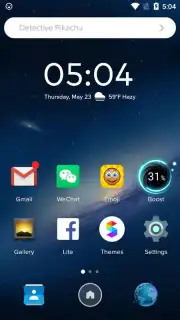
Imagine unlocking your phone tomorrow and it feels like a brand new device. The cluttered grid of icons is gone, replaced by a sleek, organized layout that just makes sense. Your wallpaper is a stunning piece of art that changes with your mood, your keyboard has a fresh new skin, and you have a secret vault of apps hidden away with a simple gesture. This isn't a fantasy phone model—it's your current Android, transformed by Pop Launcher. This clever app from Color Phone Studios doesn't just decorate; it rethinks your entire home screen experience from the ground up, wrapping powerful personalization in an elegant, minimalist interface that feels premium the moment you launch it.
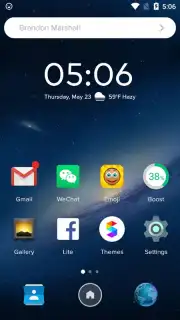
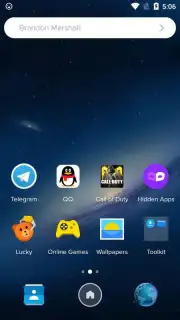
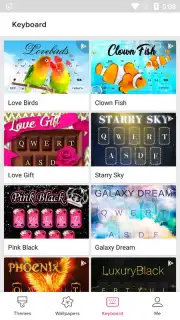
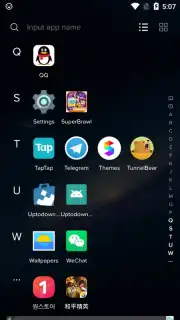
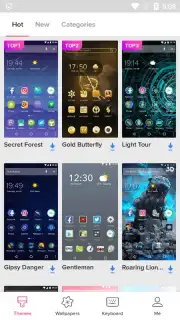
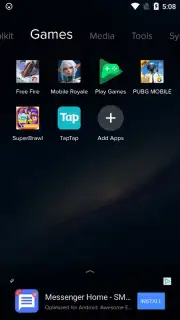
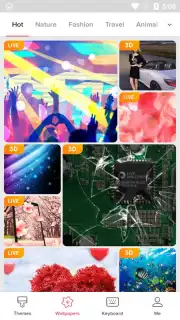
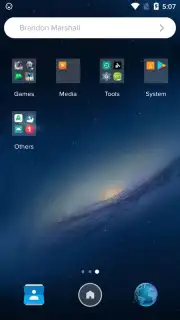
The magic begins instantly. Upon installation, Pop Launcher intelligently sorts all your apps into neat, categorized folders, banishing desktop chaos and giving your smartphone a sophisticated, curated look. But that's just the foundation. Tapping the 'Themes' button opens the door to a massive, ever-growing gallery. Here, you'll find complete desktop themes that change icons and layouts in one tap, breathtaking high-definition wallpapers for every aesthetic, and stylish keyboard skins that make every message feel more personal. It's a one-stop shop for a total visual overhaul.
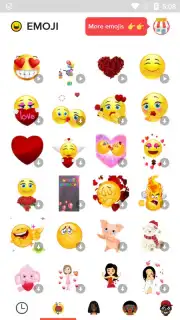
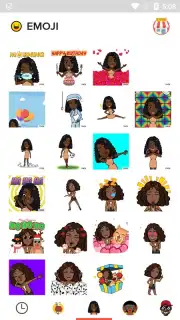
And then there are the delightful extras. A dedicated emoji icon appears on your new desktop, leading to an expansive library of over 300 unique emojis and emoticons. These aren't your standard picks; they're fresh, expressive, and ready to paste directly into any social media app or chat, giving your conversations a burst of personality. Beyond looking good, Pop Launcher thinks about privacy. Its hidden desktop feature is a game-changer. Simply swipe down on the screen with two fingers twice to access a secret space where you can stash apps, photos, or documents away from prying eyes. It's perfect for keeping work apps separate after hours or securing personal content.
The best part? All this transformative power is delivered in a lightweight package. Pop Launcher is engineered to be resource-friendly, ensuring your device stays fast and battery life isn't sacrificed for style. It proves that you don't need a top-tier phone to have a top-tier experience.
Why Your Home Screen Needs This Makeover
- Experience instant desktop organization with automatically sorted apps and a clean, refined layout from the first launch.
- Access a vast theme gallery featuring cohesive desktop themes, stunning HD wallpapers, and custom keyboard designs.
- Express yourself with over 300 unique emojis from a dedicated library, ready for any social platform or messaging app.
- Swipe to reveal a hidden private desktop to securely stash apps and content away from unwanted attention.
- Enjoy a premium, ad-free interface that is lightweight and optimized for smooth performance on your Android device.
Stop settling for a boring, default phone interface. Transform your device into a reflection of your style and a hub of smart functionality. Download Pop Launcher now and claim your visual upgrade!
Heads up: you'll need wifi to download themes and wallpapers. Some premium themes and features within the gallery may be extra.
Information
| Version | 1.3.7 |
| Developer | Color Phone Studios |
| Requirements | Android Android + 4.1, 4.1.1+ |
| Updated | 17.03.2026 |
| Size | 22.54 MB |
| Package | com.homescreen.phone.theme |
| Signature | ef96953c8643ac06f4b90c530563f10b |
| Architecture | armeabi-v7a, arm64-v8a |


