


PrinterShare screenshots (7)
Description PrinterShare
Ever feel that moment of frustration when you need a physical copy of a document or photo from your phone, but your printer feels like it's on another planet? What if you could bridge that gap instantly, turning your Android smartphone into a universal remote control for almost any printer?
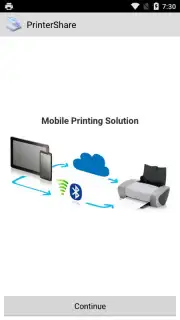
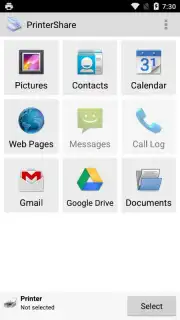
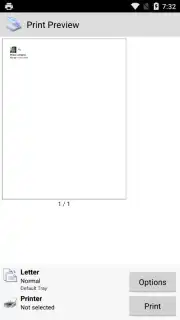
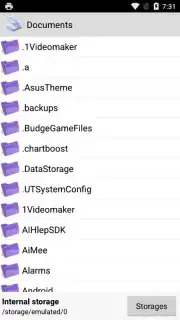
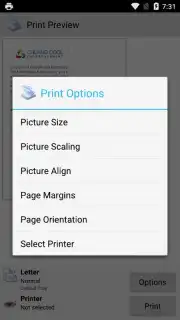
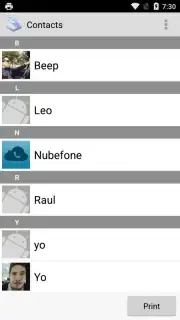
PrinterShare transforms your device into a powerful mobile print hub. You experience the freedom to send documents, photos, emails, and web pages directly to a printer with remarkable ease. The application establishes connections through Wi-Fi, Bluetooth, or even a direct USB cable, offering remarkable compatibility. This makes it an exceptionally useful tool for older printer models that lack their own modern mobile apps, though it works seamlessly with newer ones too. The interface greets you with intuitive clarity, placing essential print source buttons for your gallery, email accounts, calendar, contacts, and cloud storage like Google Drive right on the main tab. After selecting your content, you enter a detailed preview mode where you take full control over the final output.
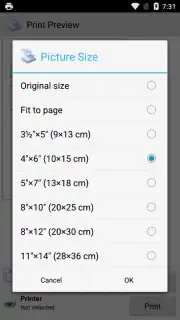
You can fine-tune the document to your exact specifications before a single page is printed. Adjust the page size, set precise scaling, modify margins, and switch between portrait and landscape orientation. The process is designed to be straightforward: you make your selections, configure the layout to your liking, and then simply tap the print button. The experience is streamlined further with the optional Turbo mode, which enhances functionality and removes advertisements for uninterrupted productivity.
- Universal Printer Compatibility: Connect via Wi-Fi, Bluetooth, or USB cable to use virtually any printer brand or model.
- Print from Anywhere: Directly output photos, emails, web pages, contacts, calendar entries, and documents from cloud storage.
- Complete Formatting Control: Adjust document size, scaling, page margins, and orientation effortlessly before printing.
- Clean, Ad-Free Experience: Optional Turbo mode removes all advertisements and unlocks premium features.
- Intuitive Navigation: A simple, well-organized interface puts all print sources and options just a tap away.
Don't wait for the next time you're stuck needing a hard copy! Transform your Android phone into a portable print station and experience seamless printing today. Download PrinterShare now and eliminate the hassle forever!
Heads up: A Wi-Fi or Bluetooth connection is typically required for wireless printing features. Some advanced capabilities and the ad-free Turbo mode are part of a premium offering.
Information
| Version | 12.20.0 |
| Developer | Mobile Dynamix |
| Requirements | Android Android + 12L+ |
| Updated | 17.03.2026 |
| Size | 2.71 MB |
| Package | com.dynamixsoftware.printershare |
| Signature | 678a86b8bdbd87e1c7c7071cb566b338 |
| Architecture | armeabi-v7a, arm64-v8a |


