

Procreate Paint screenshots (6)
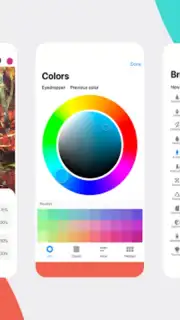
Description Procreate Paint
Procreate Paint: A Standalone Mobile Image Editor
Procreate Paint is a dedicated mobile application for basic image editing and enhancement, operating independently from any other software sharing a similar name. This tool provides a streamlined set of features for quick photo adjustments, filter application, and creative sticker placement directly on your Android device. It is designed for immediate use without complex learning curves, focusing on accessible editing functions.
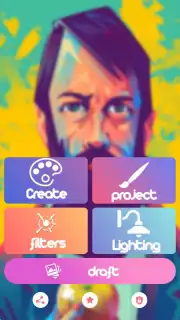
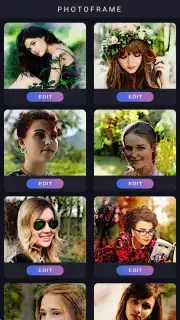
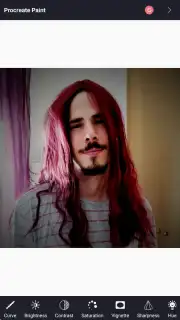
The application interface is built around four primary modules: Create, Project, Filters, and Lighting. Each module delivers specific controls for modifying images. The Create section handles fundamental canvas and image dimension adjustments, allowing for resizing of photographs. Within the Filters module, users can apply a variety of pre-set color and visual effect filters to alter the mood and style of any picture. The Lighting section is dedicated to brightness and exposure correction, enabling users to salvage poorly lit photos. A separate library of decorative stickers, including numerous humorous and thematic options, is available for overlay on images to add a personalized touch. These tools are presented in a concentrated format, avoiding the clutter of advanced professional suites.
Core Functionality and User Workflow
Upon launching, the user is presented with clear options to either start a new edit or modify an existing image from the device's gallery. The editing process is linear: select an image, choose a module, and apply changes with single-tap actions. The Project area serves as a basic hub for managing current edits. All adjustments are non-destructive until final export, permitting users to experiment with different filters and lighting settings on the same base image. The application performs these operations locally on the device.
- Multi-Module Editing Suite: Access dedicated sections for filters, lighting correction, canvas creation, and project management within a single tap from the main screen.
- Expressive Sticker Library: Apply a diverse collection of standalone graphic stickers, including comical and decorative elements, to any photograph for instant customization.
- Direct Photo Enhancement Tools: Execute essential adjustments including brightness modification, color filtering, and basic dimensional changes to images from your gallery.
Start editing your photos with this streamlined toolkit today. Download the mobile app now.
Internet required. IAP available.
Information
| Version | 8.0 |
| Developer | Arcade-Dashs |
| Requirements | Android Android + 5.0+ |
| Updated | 17.03.2026 |
| Size | 23.73 MB |
| Package | procreate.design.hd |
| Signature | 71e5b3f120ad3dc63d1520a23638b921 |
| Architecture | armeabi, armeabi-v7a, x86, arm64-v8a, x86_64 |


