

Quick App Install screenshots (7)
Description Quick App Install
Effortless Application Management for Android
Managing applications on Android devices often involves navigating between multiple sources, dealing with cumbersome file managers, and manually handling updates. This process can be inefficient, especially when dealing with APK files from various origins. Quick App Install by Bitants Mobile Team streamlines this entire workflow into a single, focused utility, removing the friction typically associated with installing and organizing apps outside of official stores.
Core Functionality and Feature Set
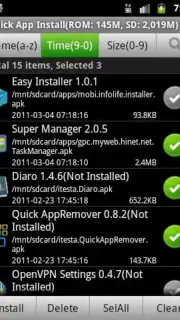
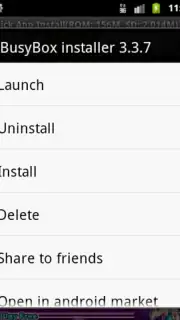
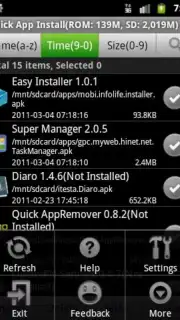
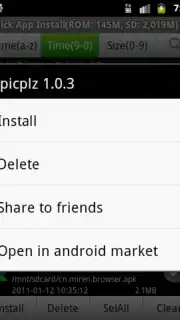
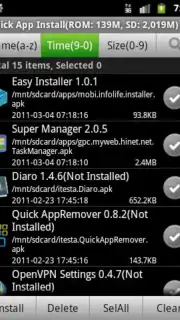
This tool operates as a dedicated APK installer and manager. Its primary function is to detect APK files stored on your device or external storage and facilitate their quick installation with minimal user input. The app scans designated folders, presenting a clear list of available installation packages. A central feature is the batch operation mode, allowing users to queue multiple APKs for sequential installation, which significantly reduces the time spent on manual, individual installs. Post-installation, it provides a direct shortcut to open the newly installed application or to view it in the device's system settings. The interface also includes basic management tools, such as the ability to view installed apps and uninstall them directly through the utility, consolidating two common tasks into one environment.
Key Operational Advantages
The utility's main strength is its singular focus on speed and reduction of procedural steps. By automating the discovery and installation sequence, it eliminates the need to use a standard file explorer to locate and tap on APK files. The batch processing function is a notable efficiency gain for users who frequently sideload multiple applications. The user interface is purposefully minimal, prioritizing clear lists and prominent action buttons over decorative elements, which contributes to faster task completion. It functions as a lightweight layer over Android's native package installer, aiming to provide a more consistent and direct user experience than navigating through different file manager interfaces.
- Fast batch APK installation
- Direct app management shortcuts
- Minimal, task-focused interface
- Scans device storage automatically
We suggest trying Quick App Install if you regularly handle APK files and seek a more streamlined method than your default file manager provides. Consider downloading it to consolidate your application installation workflow.
Disclaimer: This application requires an internet connection for initial download and may require access to device storage to function. It facilitates the installation of applications from sources outside of the Google Play Store; users should ensure they trust the origin of any APK file before installation. The app may contain advertisements. Please be aware of your device's security settings regarding installations from unknown sources.
Information
| Version | 1.1.9 |
| Developer | Bitants Mobile Team |
| Requirements | Android Android + 1.1+ |
| Updated | 17.03.2026 |
| Size | 334.53 KB |
| Package | com.bitants.quickappinstall |
| Signature | c3c98f6e5daa501ab7a32529b07312ba |


