

Remote Desktop 8 screenshots (2)
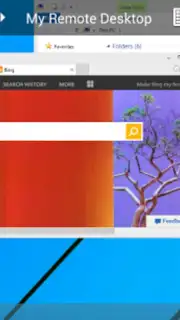
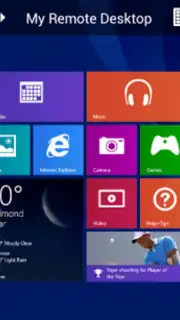
Description Remote Desktop 8
Imagine needing to access a critical file on your office PC while you're miles away, or troubleshooting a family member's computer without being in the same room. Remote Desktop 8 transforms your Android device into a direct portal to a Windows computer, enabling complete remote control as if you were sitting in front of it. Developed by Microsoft, this official application provides a secure and optimized bridge between your mobile device and a desktop environment, requiring initial setup to associate your devices for seamless remote management.
Core Functionality and System Integration
This application is engineered as a full-featured remote access tool, allowing users to operate a Windows OS computer from an Android smartphone or tablet. The connection process is secured using Layer Network authentication technology, which encrypts the session to protect all confidential data and login credentials during transmission. Performance, particularly for streaming audio and video to the mobile client, is of high fidelity and is primarily dependent on the bandwidth and stability of the internet connection available to both the host and client devices.
Interface Optimization for Touch and Modern Windows
Remote Desktop 8 is specifically optimized for interoperability with Windows 8 and later systems. Its interface leverages the 'tile-based' design language of modern Windows, which translates exceptionally well to touchscreen interactions on mobile devices. This design focus means that navigating the remote desktop, activating charms, and using touch gestures is more intuitive and responsive compared to interacting with a classic Windows desktop (such as from XP, Vista, or 7) remotely. This makes the application a particularly efficient solution for users who regularly work with these newer operating systems.
Operational Experience and Connectivity
The app establishes a direct and persistent remote session, providing all the tactile and interactive functions inherent to Windows 8 within the mobile environment. Users can execute any task they would perform locally, from launching applications and editing documents to managing system settings. The underlying Turbo technology enhances the responsiveness of the remote session, contributing to a smooth user experience free of advertisements. This combination of a clean interface, secure protocol, and performance-oriented technology facilitates faster and more convenient remote computer management directly from a handheld device.
- Official Microsoft remote desktop client
- Secure Layer Network authentication
- Optimized for Windows 8 touch interface
- High-quality audio and video streaming
We suggest trying Remote Desktop 8 to experience professional-grade remote access directly from your Android device. Consider downloading it to maintain productivity and access your computer from any location.
Internet required. IAP available.
Information
| Version | 8.1.82.445 |
| Developer | Microsoft |
| Requirements | Android Android + 4.1, 4.1.1+ |
| Updated | 17.03.2026 |
| Size | 18.22 MB |
| Package | com.microsoft.rdc.android |
| Signature | 15f66a413b9f53b12a2f986bf6b80990 |
| Architecture | armeabi, armeabi-v7a, arm64-v8a |


