


Remote Mouse screenshots (4)

Description Remote Mouse
Looking for a way to control your computer from across the room?
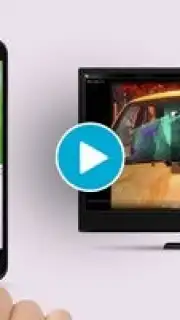
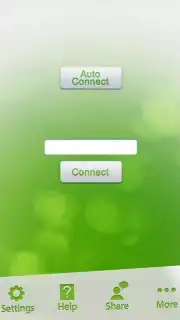
Remote Mouse is a utility application that transforms your Android smartphone or tablet into a wireless input device. It establishes a connection over a local Wi-Fi network, allowing the mobile device to function as both a trackpad and a keyboard for a paired Windows or macOS computer. The setup process requires a one-time installation of a small desktop client on the target computer, after which the mobile app can discover and sync with it seamlessly. This configuration enables remote desktop navigation and text entry without the need for physical peripherals.
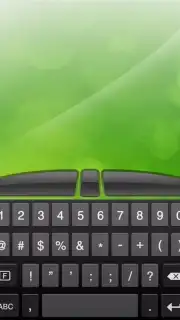
The core functionality operates through an intuitive touch interface. The primary screen mimics a trackpad, where finger movements translate directly to cursor control on the computer monitor. Taps register as left-clicks, while a two-finger tap can be configured as a right-click. A separate keyboard mode is accessible, offering a standard or customizable layout for text input. The application supports both portrait and landscape orientations on the mobile device, providing flexibility based on user preference for cursor precision or keyboard width. A notable operational mode is activated through an optional in-app purchase, which removes advertising and may enhance responsiveness or add specialized input panels.
This tool is designed for scenarios where direct computer access is inconvenient. It is particularly effective for media playback control from a couch, navigating presentations during meetings, or managing a home theater PC from a distance. The utility lies in its ability to reduce dependency on a wired or short-range wireless mouse and keyboard, effectively extending the control range to anywhere within the local Wi-Fi network's reach. Performance is dependent on network stability, with minimal perceptible latency under normal conditions.
- Dual-Function Control: Switch seamlessly between a precise touchpad and a full, responsive on-screen keyboard.
- Orientation Flexibility: Use the interface in portrait or landscape mode to suit different control preferences.
- Turbo-Enhanced Experience: An optional upgrade removes ads and can provide access to advanced input modes.
Start controlling your computer remotely today and claim your advantage now. Download the mobile app to set up your wireless control hub.
Internet required. IAP available.
Information
| Version | 4013 |
| Developer | Remote Mouse |
| Requirements | Android Android + 4.1, 4.1.1+ |
| Updated | 17.03.2026 |
| Size | 18.54 MB |
| Package | com.hungrybolo.remotemouseandroid |
| Signature | 6c628d75aa161d96edadce09ad243a9e |


