

Root Explorer screenshots (5)

Description Root Explorer
Unlock the True Potential of Your Android Device
Ever felt like your phone or tablet has hidden depths you can't quite reach? That there's a whole layer of control just beneath the surface, waiting for you to take command? For Android enthusiasts who crave that absolute authority, a special key is required. Root Explorer is precisely that key—a powerful file manager designed exclusively for devices with root access. Without root, the door remains locked, but with it, you step into a world of limitless file system control. This isn't just about moving photos; it's about becoming the true administrator of your device.
Experience Unprecedented File Control at Your Fingertips
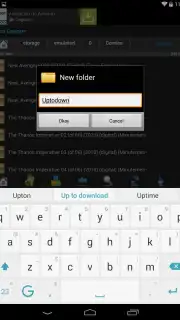
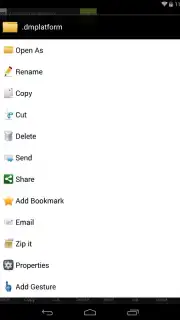
Imagine having the ability to touch any file, any system folder, and reshape your device's environment to your exact preferences. Root Explorer hands you that power with an intuitive interface that makes complex operations feel simple. You're not just browsing files; you're conducting them. Seamlessly cut, copy, move, rename, or extract archives with a tap. The real magic, however, lies in how you interact. The app supports customizable on-screen gestures and shortcuts, letting you perform these actions with swift, natural swipes and taps. It turns file management from a chore into a fluid, almost tactile experience.
What truly sets this journey apart is the focus on a clean, uninterrupted workflow. While the robust free version of Root Explorer is supported by ads, you have a clever way to manage them—you can minimize and tuck them to the edge of your screen, keeping your focus on the task at hand. For those seeking the ultimate streamlined experience, the premium Turbo version removes all distractions entirely, unlocking maximum speed and a pristine interface. This is a tool built for those who want to squeeze every drop of performance and customization from their Android hardware.
Why Your Rooted Device Needs This App
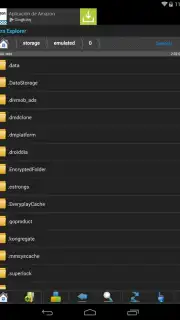
- Total System Access: Navigate, view, and modify every corner of your device's file system, including protected system directories that standard apps cannot touch.
- Gesture-Based Navigation: Master your files with custom on-screen gestures. Perform common actions like copy, paste, and delete with quick, memorable swipes for blazing-fast management.
- Advanced File Operations: Go beyond basics with support for archive handling (ZIP, RAR), multi-select operations, detailed properties viewing, and powerful search functionality.
- Root-Specific Tools: Execute commands, change critical file permissions (CHMOD), alter ownership, and edit build.prop files—all essential for deep customization and tweaking.
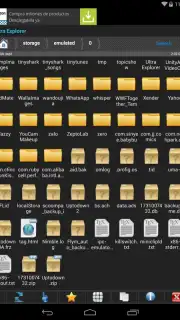
- Flexible Viewing Modes: Examine your files in a detailed list view or a visual thumbnail grid. Built-in viewers let you preview text, images, and code without opening another app.
- Network & Cloud Ready: Manage files not just locally, but also across FTP, SFTP, SMB, and WebDAV servers, bringing all your storage together in one place.
You've gone through the effort of rooting your device to break free from limitations. Now, equip it with the manager that matches that ambition. Root Explorer by KShark Apps is the definitive tool that transforms raw access into refined control. Consider downloading it now to start shaping your Android experience exactly the way you envision it.
Download Root Explorer now and command every file.
Please note: Root Explorer requires a valid internet connection for initial license verification and certain network features. The app offers a free version with advertising and a paid premium "Turbo" version via in-app purchase to remove ads and unlock additional features. Root access on your Android device is mandatory for the core functionality of this application.
Information
| Version | 5.3.5 |
| Developer | KShark Apps |
| Requirements | Android Android + 4.1, 4.1.1+ |
| Updated | 17.03.2026 |
| Size | 7.73 MB |
| Package | com.clearvisions.explorer |
| Signature | 7bf629486b5df465b9484982d7f6de27 |
| Architecture | universal |


