

Root File Manager screenshots (5)
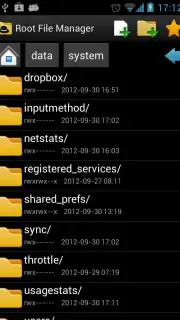
Description Root File Manager
A Root File Manager Provides Unprecedented System-Level Access for Advanced Users
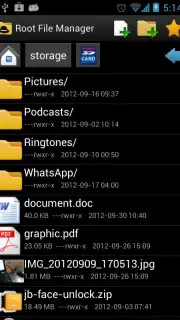
For users seeking to move beyond the limitations of standard Android file explorers, a root-level file manager is an essential utility. This application, Root File Manager by MobilDev, functions as a direct interface to the device's core file system, granting administrative privileges for granular control. It is engineered for technical users who require precise file manipulation, system modification, and deep organization capabilities that are otherwise restricted on non-rooted devices. The tool's architecture is built to handle everything from simple SD card navigation to complex permission management, presenting a unified workspace for all file operations.
Core Functionality and System Integration
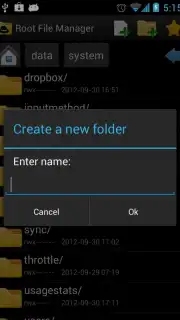
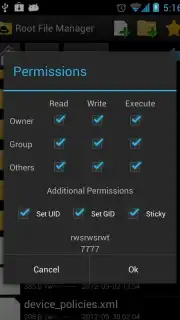
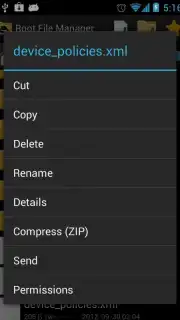
The application operates by mounting the root directory with read and write permissions, enabling actions that standard apps cannot perform. Its primary interface is a hierarchical file browser that displays system directories alongside user storage, with clear visual indicators for file types and permissions. The mechanics of file operations—cut, copy, paste, move, and delete—are executed with direct system calls, ensuring speed and reliability. Beyond basic management, it integrates tools for compression and extraction of archive files (like ZIP and RAR) directly within the file system, eliminating the need for secondary apps. A detailed properties viewer exposes the technical metadata of any file or folder, including ownership, group permissions, size, and last modified date, which is critical for troubleshooting and system maintenance.
Feature Set and Customization
The utility distinguishes itself through a combination of powerful features and user-centric customization. It supports multi-window operations for dragging and dropping files between locations, and its sorting algorithms can organize content by name, size, date, or type instantly. The 'Favorites' system allows for pinning frequently accessed directories to a quick-access panel, streamlining workflow. For media files, the app generates thumbnail previews for images and videos within the browser view. Furthermore, it includes a built-in text editor and viewer for modifying configuration files, and its 'Open With' function can route any file to any installed application on the device. The software is localized for multiple languages, including English, French, and Spanish, and its visual theme adapts dynamically to the host Android version, ensuring UI consistency from older builds like Gingerbread to modern iterations like Android Pie.
- Root-Level Navigation & Editing: Provides full read/write access to the entire Android file system, including protected system directories, for advanced file operations.
- Comprehensive File Operations Engine: Executes cut, copy, paste, compress, extract, rename, and delete functions with batch processing capabilities and a detailed properties inspector.
- Customizable User Workspace: Features a Favorites manager, configurable sorting, thumbnail previews, and a theme engine optimized for various Android OS versions.
We suggest trying Root File Manager if your work requires deep device management, system customization, or advanced file organization beyond typical user storage.
Download the Root File Manager mobile app now.
Heads up: A rooted Android device is required for core functionality. Some advanced features may require specific kernel permissions. Always maintain a backup before modifying system files.
Information
| Version | 1.1.0 |
| Developer | MobilDev |
| Requirements | Android Android + 4.0, 4.0.1, 4.0.2+ |
| Updated | 17.03.2026 |
| Size | 1.74 MB |
| Package | com.acr.rootfilemanager |
| Signature | aa454b5b31f76c0c196b3a2fac3a98bc |
| Architecture | universal |


