

RustDesk screenshots (10)
Description RustDesk
Looking for a professional-grade remote desktop solution that doesn't lock core functionality behind a paywall or compromise on security? RustDesk presents itself as a viable, open-source alternative for managing devices, transferring files, and providing remote support directly from your Android smartphone.
Core Functionality and Device Control
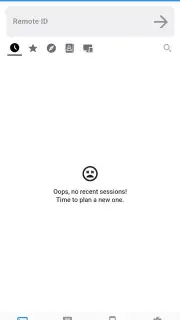
The application establishes a connection between devices using a unique ID and password system. Once paired, it provides a live view of the remote computer or Android device's screen. The interface includes two distinct control modes: one optimized for precise cursor control similar to a physical mouse, and another tailored for touchscreen gestures, which simplifies navigation on mobile devices. This dual-mode approach addresses the fundamental challenge of controlling a desktop environment from a smartphone, allowing for both detailed technical support and basic navigation.
File Management and Data Transfer Capabilities
Beyond screen sharing, RustDesk incorporates a full file transfer manager. This system operates independently of the remote control session, enabling users to browse directories on both local and remote devices simultaneously. Files and entire folders can be selected, dragged, and dropped between devices. The transfer process includes a progress indicator for each file, detailing transfer speed and estimated completion time. This functionality is designed for moving documents, installation packages, or media libraries without reliance on cloud storage intermediaries or physical cables.
Self-Hosted Server Configuration for Enhanced Security
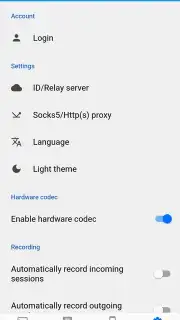
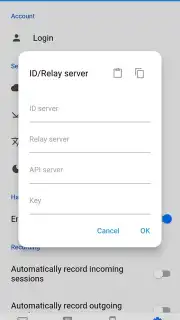
For users with specific security requirements or those wishing to avoid public relay servers, RustDesk offers the option for self-hosting. The setup involves deploying the RustDesk server software on a private machine or VPS. Within the mobile application, users configure the connection by inputting the host server's address and the corresponding public key. As an alternative to manual entry, the app can scan a QR code containing all necessary server configuration data. This feature places full control over data routing and encryption endpoints in the hands of the user or their organization.
Performance and Operational Considerations
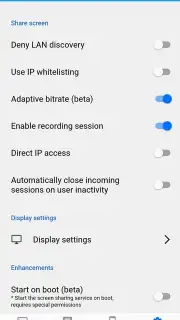
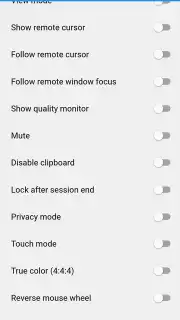
The application utilizes a custom protocol aimed at maintaining a responsive connection even on variable network conditions. During testing, the absence of third-party advertisements within the core remote control and file transfer modules was noted. Configuration settings allow for adjustments to image quality and frame rate to balance performance against bandwidth usage, which is a critical consideration for mobile data plans. The open-source nature of the project means its codebase is publicly auditable, a factor often cited in discussions about software trustworthiness.
- Open-source remote desktop access
- Unrestricted cross-device file transfer
- Self-hosted server deployment option
- Dual control modes for precision
The combination of zero-cost core features, transparent development, and configurable security makes this a practical tool for IT professionals, remote workers, and individuals providing technical support. Download the RustDesk mobile app now and establish your first remote connection within minutes.
Internet required. IAP available.
Information
| Version | 1.4.6 |
| Developer | Purslane Ltd |
| Requirements | Android Android + 5.1+ |
| Updated | 17.03.2026 |
| Size | 25.41 MB |
| Package | com.carriez.flutter_hbb |
| Signature | dad9ebfb3fe8b3d9ee7c5704ae2f15f2 |
| Architecture | arm64-v8a |


