

Sam Helper screenshots (10)
Description Sam Helper
Looking for a way to unlock deeper customization and system-level control on your Samsung Galaxy device? Sam Helper provides a comprehensive suite of tools designed for users who want to move beyond standard settings to optimize performance, battery life, and visual personalization.
Core Functionality and Feature Overview
Sam Helper operates as a centralized hub for advanced device management. It grants access to a range of system parameters typically hidden or restricted, requiring either ADB authorization or root privileges for full functionality. The application is structured into dedicated modules, each focusing on a specific aspect of device control, from visual themes to network behavior and hardware monitoring.
Detailed Feature Analysis
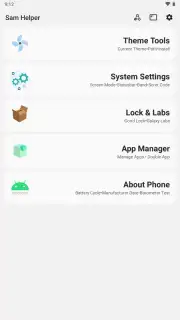
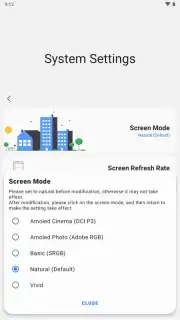
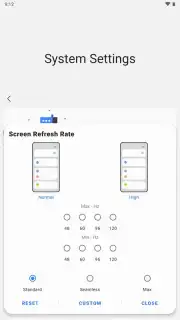
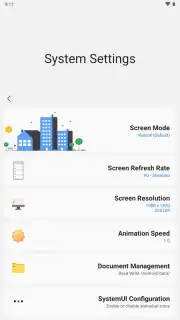
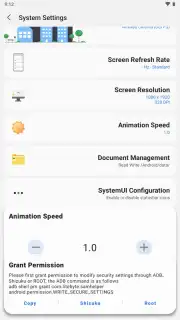
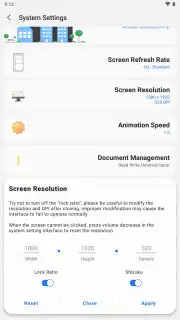
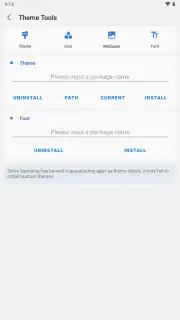
The application is organized into several distinct toolkits. The Theme Tools section handles visual customization, allowing you to install and manage custom fonts, change app icons, and set wallpapers. A revert function is included to quickly undo any applied changes. The System Settings module offers granular control over display characteristics. This includes selecting precise color space profiles—such as AMOLED Cinema (DCI-P3), AMOLED Photo (Adobe RGB), Basic (sRGB), Natural, or Vivid—and adjusting the display's refresh rate parameters and transition speed. Further system tweaks encompass animation speed scaling, access to the protected Android/data folder, status bar icon management, preferred network type selection, and the execution of secret diagnostic codes.
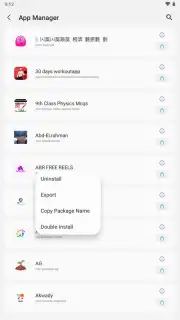
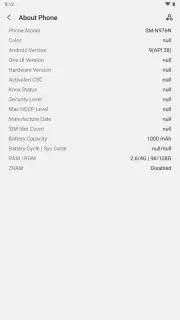
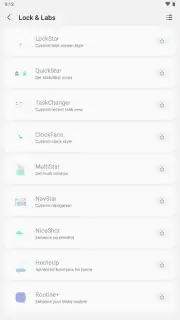
Beyond core settings, Sam Helper includes utility modules. A hardware information panel displays detailed specs, including battery cycle count and Android OS version. The integrated App Manager enables you to uninstall applications, export APK files, copy package names, and clone apps. A dedicated tool checks the functionality of the device's barometer sensor. For command-line operations, the app integrates a Shizuku terminal, though this requires the separate Shizuku service to be installed and running on the device. Sam Helper itself offers a light, dark, or system-based theme for its own interface and operates without advertisements.
- Advanced system setting controls
- Custom theme and font management
- Integrated hardware information panel
- App manager with APK export
We suggest trying Sam Helper if you are a technically-inclined Samsung user seeking to personalize and fine-tune your device beyond factory defaults. Consider downloading the APK to access this suite of optimization tools.
Disclaimer: This application requires a Samsung Android device. Full access to all features may require granting permissions via ADB (Android Debug Bridge) or having root privileges, which can void your warranty and carries potential security risks. The app may require an internet connection for certain functions. It does not contain in-app purchases. Use of advanced system modifications is at your own risk and may affect device stability. Please ensure compliance with local regulations and device terms of service.
Information
| Version | 2.8 |
| Developer | SamHelper |
| Requirements | Android Android + 7.0+ |
| Updated | 17.03.2026 |
| Size | 3.32 MB |
| Package | com.litebyte.samhelper |
| Signature | 23c5cd95fb9ce3e3013109507369e19f |
| Architecture | universal |


