

Samsung Photo Editor screenshots (13)
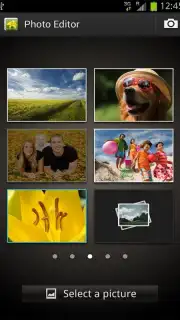


Description Samsung Photo Editor
Your Samsung Phone Already Has a Powerful Photo Studio Built Right In
If you own a Samsung smartphone, you have a professional-grade editing suite already installed and waiting for you. The Samsung Photo Editor is the default gallery and editing application designed exclusively for Samsung devices, turning your phone into a direct portal for transforming everyday snapshots into polished images. Forget about transferring files to a computer or wrestling with complicated third-party apps; this tool integrates seamlessly with your camera and gallery, offering a streamlined path from capture to masterpiece with just a few taps.
A Comprehensive Toolkit for Every Editing Need
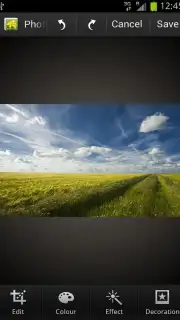
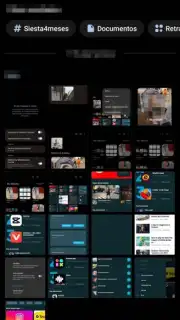
This application provides an intuitively simple photo viewer that doubles as your command center. Opening any image instantly presents you with a clean array of editing tools, designed for clarity so that users of any skill level can achieve impressive results. The core adjustment tools are both powerful and straightforward. You can rotate an image to any angle, correct slanted horizons, or crop with precision to recompose a shot perfectly for social media, print, or a digital frame.
Beyond basic corrections, the editor unlocks creative potential with a vast spectrum of colors and tonal filters. These allow you to shift the mood of a photo entirely, warming up a sunset or cooling down a portrait with professional nuance. A rich library of artistic effects is available to add unique character, enabling you to create images that stand out with a personal signature. These built-in tools mean you can achieve a high-quality, edited look directly on your device, eliminating the need for complex desktop software for most projects.
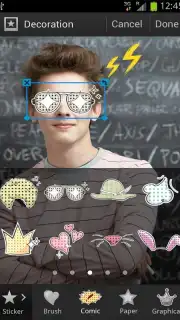
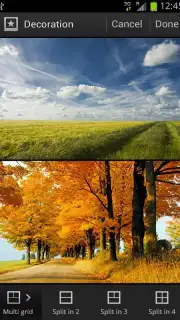
For those moments when a single photo isn't enough, the collage maker is a standout feature. You can combine as many photos as you like into a single, dynamic composition. Craft engaging collages for friends and family to commemorate trips, birthdays, or everyday moments, turning a series of images into a beautiful, unforgettable collection. The control doesn't stop at arrangement; you can individually edit each photo within the collage, apply separate effects, and even change the background to create a truly cohesive and unique piece of art. Further personalize your creations by adding playful stickers or applying comic-style filters for results that are genuinely fun and engaging.
Key Features at a Glance
- Exclusive Samsung Integration: Pre-installed and optimized solely for Samsung Galaxy devices, ensuring smooth performance and deep system integration.
- Streamlined Photo Viewer & Editor: An all-in-one hub for viewing, managing, and editing your photos with an intuitive, user-friendly interface.
- Essential Correction Tools: Precisely rotate, straighten, and crop your images to achieve the perfect composition and orientation.
- Advanced Color & Tone Control: Apply a wide variety of color filters and tonal adjustments to alter the atmosphere and style of any photograph.
- Creative Effects & Filters: Access a collection of artistic effects to give your photos a unique, professional, or trendy look instantly.
- Flexible Collage Creator: Build custom collages with an unlimited number of photos, with individual editing control over each element.
- Personalization Options: Enhance images and collages with decorative stickers, fun comic filters, and customizable background options.
We suggest trying the Samsung Photo Editor to fully utilize the creative hardware already in your pocket. Consider downloading any available updates to access the latest features and start editing your gallery today.
Download mobile app now
Heads up: This is a default application for Samsung devices and is not available for download on other brands. You'll need Wi-Fi for downloading additional sticker packs or effect updates. Some advanced features or content packs may be offered as optional in-app purchases.
Information
| Version | 3.8.11.30 |
| Developer | Samsung Electronics MP Lab. |
| Requirements | Android Android + 15+ |
| Updated | 17.03.2026 |
| Size | 120.78 MB |
| Package | com.sec.android.mimage.photoretouching |
| Signature | d087e72912fba064cafa78dc34aea839 |
| Architecture | arm64-v8a |


