


Samsung Clock screenshots (6)

Description Samsung Clock
Your World, Perfectly Timed
Imagine having a command center for time itself, built right into your Samsung device. This isn't just any clock app; it's your personal timekeeper, alarm manager, and global scheduler, all fused into one incredibly sleek and powerful tool. It’s the hub where your day begins and your productivity is maintained, ensuring you’re always in sync with your life and the world.
More Than Just a Clock: Your Daily Command Center
Forget about scrambling to check the time or missing important reminders. This app transforms your device's default clock into a dynamic dashboard for your entire schedule. You get instant access to the date and time, but that's merely the starting point. The real magic happens when you personalize it to work for your unique rhythm.
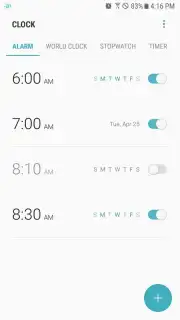
Create custom alarms that do more than just wake you up. Set them for medication reminders, meeting alerts, or that daily moment of mindfulness. Choose precise schedules—daily, weekly, or one-time only—so you’re alerted exactly when you need to be, without a second thought.
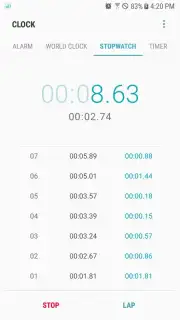
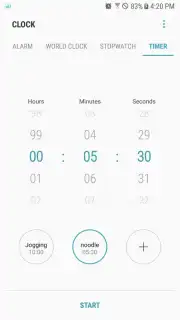
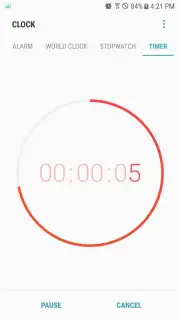
Need to time a workout, manage a presentation, or cook the perfect egg? The integrated countdown timer has you covered, sending a clear notification the moment your set period ends. For recording laps or tracking precise intervals, the high-resolution stopwatch measures down to the millisecond, giving you professional-grade timing tools in your pocket.
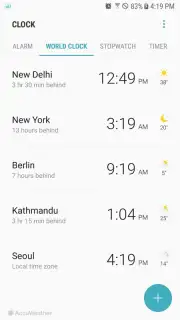
And for true global citizens, the world clock feature is a game-changer. Set your home time zone and then add widgets for other cities. Instantly know if it’s too early to call a colleague overseas or the perfect time to wish a friend happy birthday, making the world feel smaller and more connected.
Why This App Becomes Your Essential Tool
- Your Default Time Hub: Seamlessly integrated, it’s the first place you look for the time and date, on your home screen or within the app itself.
- Intelligent Alarm System: Craft alarms for waking, reminders, or events with flexible repeating schedules (daily, weekly, once) for total control over your notifications.
- Precision Timing Tools: Utilize a countdown timer with completion alerts and a stopwatch capable of millisecond accuracy for any task.
- Global Time at a Glance: Manage multiple time zones effortlessly and create instant-access widgets to track time across the world.
- Widget-Driven Convenience: Build custom home screen widgets for alarms, world clocks, or timers, accessing critical info without ever opening another app.
- Clean, Uninterrupted Experience: Enjoy a focused, ad-free interface designed for clarity and quick action, so you spend less time managing time and more of it.
Take Command of Every Second
Stop letting the day manage you. Transform your Samsung device into the most powerful time management tool you own. This app is the silent partner that ensures you’re always on time, always prepared, and always in sync. It’s not just an app; it’s an upgrade to your daily flow.
Download the Samsung Clock app now and orchestrate your perfect day.
Disclaimer: This application requires a compatible Samsung device and an internet connection for initial setup and certain world clock data. The app is free to download and use; check your device's settings for specific feature availability. Data usage may apply when syncing time zone information. This app may contain in-app settings linking to other Samsung services. Please use responsibly and be mindful of alarm volumes.
Information
| Version | 13.1.00.15 |
| Developer | Samsung Electronics Co., Ltd. |
| Requirements | Android Android + 9+ |
| Updated | 17.03.2026 |
| Size | 9.84 MB |
| Package | com.sec.android.app.clockpackage |
| Signature | d087e72912fba064cafa78dc34aea839 |
| Architecture | universal |


