


AngleCam - Angular Camera screenshots (4)
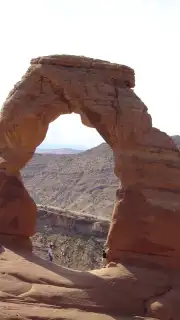
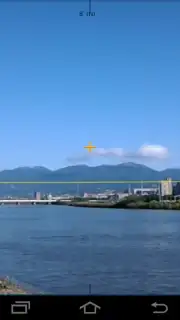
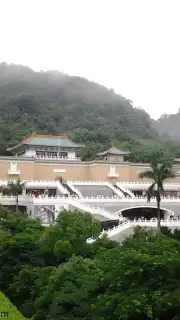

Description AngleCam - Angular Camera
A Persistent Problem in Field Documentation
For professionals in surveying, real estate, archaeology, or outdoor journalism, a standard photograph often fails to capture the complete story. The critical contextual data—the exact geographic coordinates, the precise angle of view, the tilt of the device at the moment of capture—is lost, stored separately in notes or metadata, leading to potential errors and inefficient post-processing. This disconnect between visual evidence and its spatial parameters creates a gap in reliable documentation.
AngleCam - Angular Camera is engineered specifically to bridge this gap. It functions not merely as a camera application but as an integrated geospatial data logger. Its core mechanic revolves around embedding a comprehensive data overlay directly onto the image file itself. Using the device's built-in GPS, accelerometer, and magnetometer, it captures and imprints latitude, longitude, altitude, positional accuracy, plus the crucial angular measurements of tilt (pitch and roll) and magnetic azimuth. This transforms every photograph into a self-contained document, eliminating guesswork and ensuring that the precise conditions of the shot are permanently and visually linked to the visual data.
The application operates on a freemium model, offering a clear pathway from testing to professional use. The complimentary Lite version provides full access to the core data-overlay functionality, allowing users to verify the utility of the system in their workflow. However, it imposes certain constraints: all exported images bear a discreet watermark, resolution is capped at 2048x1536 pixels, and the app's internal storage for custom comment columns retains only the ten most recent entries. The presence of advertising banners is also noted in this version.
The Pro version, often unlocked via a one-time purchase or subscription labeled "Turbo," removes all these limitations. It represents the complete, uncompromised toolset. Users gain the ability to capture photos at the sensor's maximum native resolution, export images completely free of any watermarks, and expand their project management capabilities. The Pro tier significantly enhances data annotation, permitting the addition of custom text and graphic watermarks, the placement of central reticle points for alignment, and even the import of custom font files for branding or standardized notation. The comment column storage is expanded to hold the last thirty entries per column across up to ten columns, and the interface is entirely devoid of advertising.
A critical technical prerequisite for the full Angular Camera experience is the presence of both an accelerometer and a magnetometer within the mobile device. These sensors are essential for calculating tilt and azimuth. For devices lacking these components, the developer provides NoteCam as an alternative; however, it serves as a basic geo-tagging camera without any angular data or the useful on-screen horizon line, underscoring the specialized nature of the main application.
- Geospatial Data Imprint: Automatically overlays GPS coordinates, altitude, accuracy, tilt angles, and azimuth directly onto the photo for an all-in-one record.
- Professional Annotation Suite: Add custom text, graphic watermarks, alignment reticles, and manage extensive, project-specific comment columns for detailed cataloging.
- High-Resolution, Unmarked Export: Capture and save images at your device's maximum resolution without any embedded watermarks for clean, professional deliverables.
Download AngleCam - Angular Camera Now – For a limited time, new users can explore the enhanced Pro features with exclusive early access. This is not just a camera upgrade; it's an investment in precision and workflow efficiency that pays for itself in saved time and eliminated documentation errors. Install today to transform your mobile device into a certified field documentation tool.
Disclaimer: This application requires a persistent internet connection for initial GPS data acquisition and function verification. The Pro version is unlocked via an in-app purchase. Use of all features is contingent on your device possessing the necessary hardware sensors (accelerometer, magnetometer). Data usage applies for location services. Please be aware that your location data is collected and embedded into photographs. The app may not be suitable for all ages due to its technical nature. Always be aware of your surroundings when using the app in the field.
Information
| Version | 5.25 |
| Developer | Derekr Corp. |
| Requirements | Android Android + 6.0+ |
| Updated | 17.03.2026 |
| Size | 9.43 MB |
| Package | com.derekr.AngleCam |
| Signature | f4fad1dfb0abfd3e05542fd2ef371d8f |
| Architecture | armeabi-v7a, arm64-v8a |


