

Samsung Messages screenshots (6)




Description Samsung Messages
Your Samsung Phone's Built‑In Messaging Powerhouse, Refined
If you own a Samsung smartphone, you already have a powerful, streamlined messaging tool at your fingertips. Samsung Messages is the official, default application designed specifically for your device, providing a seamless, secure, and intuitive hub for all your SMS and MMS conversations. It transforms the simple act of texting into a smooth, organized, and highly manageable experience, built right into the ecosystem you already use.
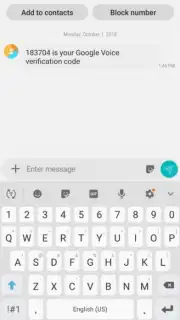
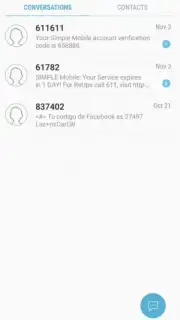
The interface greets you with a clean, chronological layout where every conversation is neatly ordered. You navigate through your messages with natural swipe gestures, making it effortless to scroll through your history. Tapping any thread opens it instantly for quick reading. Beyond the basics, the app includes a robust search tool that lets you find specific messages using keywords, contact names, phone numbers, or dates, ensuring no important text is ever lost in the shuffle. For peace of mind, you have direct control over your inbox, with options to block unwanted contacts and mark notifications as read to maintain a clean, distraction‑free communication space.
Core Features of Your Default Messenger
Samsung Messages is engineered to be more than just a default app; it's a optimized tool that leverages your device's hardware and software for a superior experience.
- Official SMS/MMS Client: As the pre‑installed, default application on Samsung devices, it offers guaranteed compatibility, stability, and deep integration with your phone's system for reliable message sending and receiving.
- Chronological & Intuitive Interface: All your conversations are automatically sorted in a clear, time‑based order. The design prioritizes discoverability, allowing you to glide through your messages with simple finger swipes and open any thread with a single tap.
- Advanced Message Search: Locate any piece of information instantly. The powerful search function filters messages by specific words, contact details, phone numbers, or the date they were received, saving you from endless scrolling.
- Communication Management Tools: Take control of your inbox. Easily block specific numbers to prevent spam and unwanted messages, and manage notifications by marking them as read to keep your alert center organized.
- Optimized Performance: The application is developed to run efficiently on Samsung devices, aiming for fast loading times and smooth operation without intrusive advertisements cluttering your messaging experience.
Consider downloading Samsung Messages to fully utilize the communication tool that is seamlessly built into your device. It provides a straightforward, secure, and capable environment for managing all your personal and group messages.
Download mobile app now
A standard internet connection (mobile data or Wi‑Fi) may be required for MMS messaging. The app is typically pre‑installed; availability of specific features may vary by device model and region.
Information
| Version | 16.7.90.105 |
| Developer | Samsung Electronics Co., Ltd. |
| Requirements | Android Android + 14+ |
| Updated | 17.03.2026 |
| Size | 72.06 MB |
| Package | com.samsung.android.messaging |
| Signature | d087e72912fba064cafa78dc34aea839 |
| Architecture | armeabi-v7a, arm64-v8a |


