


Samsung Notes screenshots (4)

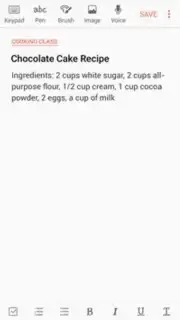


Description Samsung Notes
A Closer Look at Samsung's Native Note-Taking Solution
For users embedded in the Samsung ecosystem seeking a streamlined note-taking tool, Samsung Notes presents a pre-installed option that integrates directly with the device's hardware. This application moves beyond basic text entry, functioning as a multi-format capture tool for spontaneous ideas, meeting minutes, and visual sketches. Its design philosophy prioritizes quick access and synchronization, positioning it as a central hub for personal and professional organization directly from an Android device.
Functional Analysis and Core Mechanics
The application's interface employs a clean, card-based layout that facilitates rapid scanning of recent entries, a design methodology also observed in other mainstream note applications. Its primary operational strength lies in multi-modal input. Users can initiate a standard text note using the device keyboard, but the toolset expands significantly with direct stylus or finger input for freehand writing and drawing. This input method includes adjustable parameters for digital writing instruments, allowing for changes in stroke thickness, texture simulation, and color palette selection.
Data capture is not limited to text and ink. The application supports embedding multimedia files directly into a note, including photographs, audio recordings, and video clips. This creates composite notes where a written summary can be supplemented with visual evidence or verbal context. All created content is automatically synchronized to the user's Samsung account, enabling seamless access and editing across registered devices. This cloud-based approach ensures the note library is maintained consistently, whether accessed from a phone, tablet, or compatible computer.
- Multi-format note creation
- Freehand writing and drawing
- Full cloud synchronization
- Multimedia file embedding
The utility is provided without advertisement interruptions, focusing on a uninterrupted user workflow. For device owners, it leverages system-level permissions for optimized performance and battery usage.
Final Assessment
Samsung Notes operates as a competent, integrated digital notebook for users who require a straightforward system for capturing information in various forms. Its value is amplified for those utilizing Samsung's S-Pen, as it offers immediate, low-latency input. While its feature set covers the essential requirements for personal organization and quick sketching, its deepest integration and most fluid experience are realized within the Samsung device ecosystem.
[Limited Offer: Exclusive Access for First Users] Download the Samsung Notes mobile app now to activate enhanced syncing features on your device.
Internet required. IAP available.
Information
| Version | 4.9.06.8 |
| Developer | Samsung Electronics Co., Ltd. |
| Requirements | Android Android + 6.0+ |
| Updated | 17.03.2026 |
| Size | 86.41 MB |
| Package | com.samsung.android.app.notes |
| Signature | d087e72912fba064cafa78dc34aea839,ac4128120937684f45d2dbc15b9d1bcc |
| Architecture | armeabi, armeabi-v7a, x86, arm64-v8a, x86_64 |


