

Samsung S8 edge Launcher - Themes and Wallpaper screenshots (6)
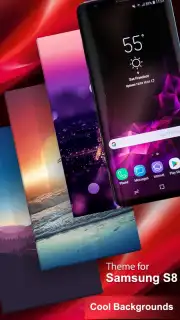
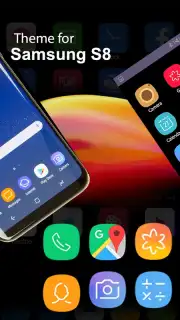
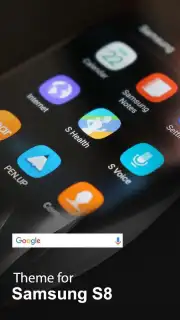
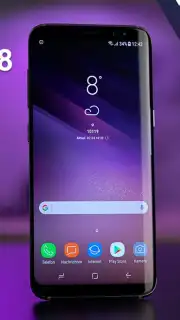

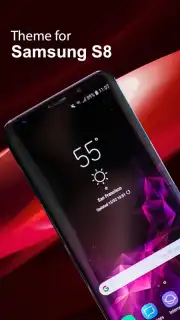
Description Samsung S8 edge Launcher - Themes and Wallpaper
A Launcher That Redefines Your Phone's Edge
The standard grid of icons and static widgets often feels like a constraint, a digital cage for a device capable of so much more visual expression. The Samsung S8 edge Launcher directly addresses this by transforming the core interface of any compatible Android device, focusing its customization power on the dynamic and functional potential of the screen's edges. It is not merely a theme pack; it is a system-level tool that re-engineers how you interact with your home screen, prioritizing both aesthetic fluidity and rapid access.
Core Mechanics and Interface Tools
This application functions as a full replacement for your device's default home screen software. Upon activation, it imports the distinctive visual language and interaction models associated with the premium edge-screen hardware, making them available on a wider range of devices. The primary mechanics revolve around the Edge Panel system—customizable sidebars that slide out from the screen edges to house app shortcuts, contacts, tasks, and tools without cluttering the main desktop. The launcher provides deep control over home screen grid size, icon packs, and folder management, allowing for a completely restructured layout. A dedicated theme engine and wallpaper gallery are integrated directly into the launcher's settings, enabling a unified customization workflow where visual changes apply cohesively across the entire interface.
Analytical Feature Breakdown
The launcher's value is built on a set of concrete, user-facing features that modify the device's interaction paradigm.
- Functional Edge Panels: Implements sliding side menus for instant access to favorite apps, contacts, and device tools from any screen.
- Comprehensive Theme Engine: Applies coordinated visual packages that change wallpapers, icon sets, and system color accents simultaneously.
- High-Density Layout Control: Adjust home screen and app drawer grid sizes to fit more icons and widgets on a single page.
- Integrated Wallpaper Hub: Offers a curated, frequently updated collection of HD and AMOLED-optimized background images.
- Gesture-Based Navigation: Supports custom swipe and tap gestures on the home screen to launch apps or trigger actions.
Key Advantages in Daily Use
The principal advantage of this launcher is the abstraction of utility to the screen periphery, which keeps the primary home screen area clean and visually focused. Performance is tuned for general compatibility, aiming for smooth transitions and panel animations even on mid-range hardware that supports its minimum Android version. The user experience is centralized; all customization options—from edge panel content to icon shape—are managed within a single, consistent settings menu, reducing the need to juggle multiple independent theming apps. Visually, it delivers a cohesive, manufacturer-grade aesthetic that makes a device feel purpose-built for its new interface.
Start transforming your device's interface and unlock its edge-screen potential today.
Download mobile app now
Heads up: you'll need wifi for initial download of theme packs and wallpapers. Some premium themes and advanced features are extra. Requires Android 4.1 or higher.
Information
| Version | 1.0.0 |
| Developer | RevolutionX Apps |
| Requirements | Android Android + 4.1, 4.1.1+ |
| Updated | 17.03.2026 |
| Size | 9.9 MB |
| Package | com.revolutionxapps.S8launcher.GalaxyS8Edge.SamsungS8launcher |
| Signature | 5adfa9dad845a70d711a50d3748b1a4f |
| Architecture | universal |


