

Samsung Smart View screenshots (3)
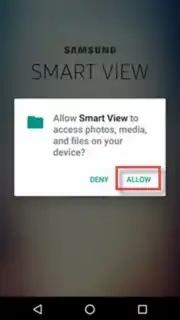
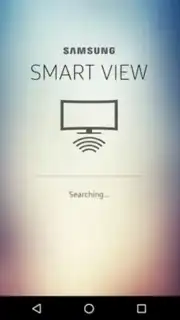
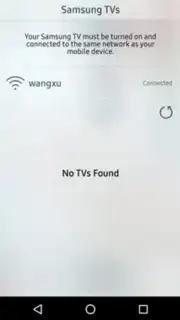
Description Samsung Smart View
Control Your Samsung TV Directly From Your Phone
Managing your Samsung television typically requires keeping the remote within reach, interrupting your viewing to search for content, or navigating clunky on-screen menus. Samsung Smart View transforms your compatible Samsung smartphone into a universal control hub and content portal, directly linking your mobile device to your TV over your local network. This app eliminates the need for constant remote handling by providing direct touchscreen control over playback, power, and content selection from your phone's interface.
Core Functionality and Features
The application establishes a direct Wi-Fi connection between your Samsung smartphone and your Samsung Smart TV, creating a seamless control bridge. The primary interface mirrors essential remote functions, presenting a clean layout with transport controls, volume adjustment, and a power toggle. A key operational feature is the continuous playback sustainment; you can browse other applications on your phone or take a call without pausing or stopping the content playing on your television. The app supports content casting through thumbnail selection, allowing you to tap on a video or image preview on your phone to instantly launch it in full screen on the larger TV display. This functionality extends to managing input sources and accessing a unified media library aggregated from connected devices and supported apps on your TV.
- Remote-free TV power control
- Uninterrupted phone multitasking
- One-tap content casting
Detailed Operational Overview
Upon launching Samsung Smart View, the app automatically scans the local network for compatible Samsung TV models. After selecting your target television, the connection is secured, and the control dashboard loads on your smartphone screen. This dashboard is divided into distinct panels: a dedicated remote panel with a directional pad and number keys for traditional navigation, a media browser panel that aggregates content from connected sources, and a settings panel for managing the connection and display preferences. The mirroring function operates with low latency, ensuring that commands registered on the smartphone are executed on the TV in near real-time. The app also provides a preview window that shows a thumbnail of the currently playing TV content directly within the phone's interface, so you never lose sight of your program while using other mobile functions.
Download Samsung Smart View immediately and turn your phone into the only remote you'll ever need!
Heads up: you'll need wifi for most features. Some cool stuff is extra.
Information
| Version | 8.2.26.39 |
| Developer | Samsung Corporation |
| Requirements | Android Android + 12L+ |
| Updated | 17.03.2026 |
| Size | 8.58 MB |
| Package | com.samsung.android.smartmirroring |
| Signature | d087e72912fba064cafa78dc34aea839 |
| Architecture | arm64-v8a |


