

SAO Launcher screenshots (10)
Description SAO Launcher
Tired of the Same Old Phone Menu? Transform Your Device into a Console
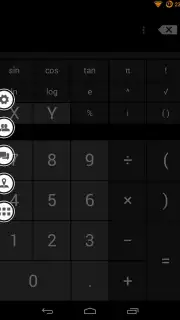
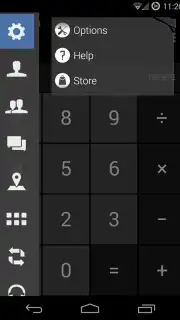
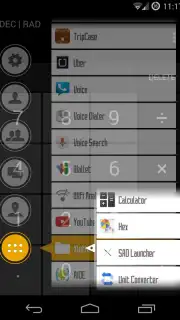
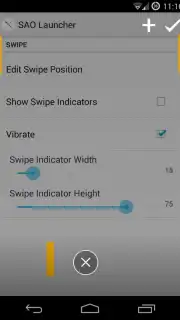
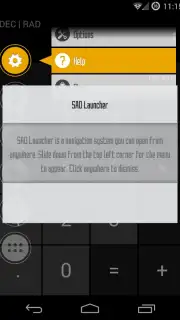
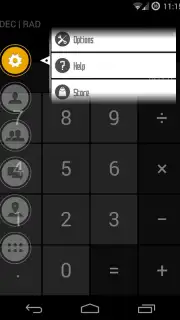
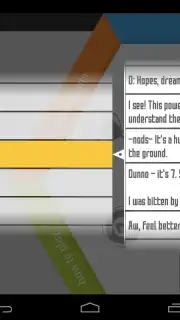
Does your smartphone's interface feel mundane and utilitarian? Imagine replacing it with a dynamic, game-inspired command center that puts every function at your fingertips. SAO Launcher is a comprehensive system menu and overlay tool for Android, directly inspired by the immersive virtual world of Sword Art Online. It doesn't just reskin your home screen; it layers a completely interactive, orb-based navigation system over your existing setup. By simply swiping down from the top-left corner of your screen, you summon a radial menu of orbs that act as direct portals to phone calls, messaging apps, shortcuts, music playback controls, and system settings. This launcher is engineered for users who demand both high visual customization and efficient, gesture-driven access to their device's core functionalities.
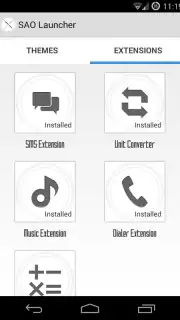
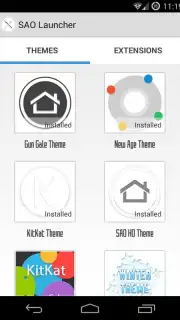
The true power of SAO Launcher lies in its extensive modularity. The integrated Store offers a vast repository of both free and premium themes and extensions, allowing you to overhaul the visual and auditory experience completely. Themes change wallpapers, orb designs, animations, and sound effects, while extensions are functional plugins that add new orbs tied to specific apps—like a dedicated SMS management orb or a direct social media feed viewer. For power users and developers, the app provides an API for creating deep, complex customizations and widgets, offering near-limitless potential for those willing to explore. The Pro version, a one-time investment, removes all advertisements and unlocks premium capabilities like multiple gesture panels for different swipe actions, a custom avatar creator, and integrated weather forecast and map orbs. The developer actively incorporates community feedback and bug reports, ensuring the tool evolves with its user base. While not a replacement for your default home screen launcher, it serves as a versatile, always-accessible overlay that turns routine tasks into a more engaging, fluid experience.
- Gesture-Activated Orb Menu: Swipe to access a radial wheel of customizable orbs for calls, messages, apps, and media controls without ever going to your home screen.
- Modular Theme & Extension Store: Install visual themes to change sounds and graphics, and add functional extensions that create new orbs for installed apps like SMS or Spotify.
- Pro Features & Advanced API: Upgrade for an ad-free interface, multiple gesture panels, custom avatars, weather/map tools, and access to an API for developer-level customization.
Download SAO Launcher now and start commanding your phone with the speed and style of a virtual console. Claim your visual and functional advantage today!
Heads up: You'll need a stable internet connection (Wi-Fi recommended) to download themes and extensions from the Store. Some of the coolest features, including the ad-free experience and advanced gesture panels, are part of the optional Pro upgrade.
Information
| Version | 4.0.3 |
| Developer | Xlythe |
| Requirements | Android Android + 4.4+ |
| Updated | 17.03.2026 |
| Size | 7.35 MB |
| Package | com.xlythe.saolauncher |
| Signature | f908a1241fc9f1794a167807fee808b2 |
| Architecture | universal |


