


Scratch screenshots (5)
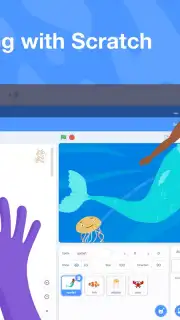
Description Scratch
Want to Learn to Code? Start Creating Instantly with Scratch
Ever felt that learning to program is too complex or intimidating? The Scratch mobile app dismantles that barrier entirely, offering a vibrant, visual playground where you can build interactive stories, games, and animations from day one. Designed as a powerful educational tool, it turns foundational coding concepts into tangible, shareable projects. While it's exceptionally effective for young learners and students, it's also a brilliant sandbox for adults taking their first steps into game development and creative coding, thanks to its supportive global community of creators.
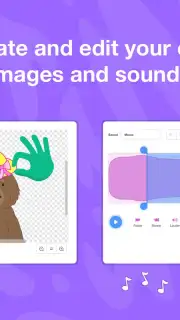
This environment is built for pure, focused creation. You get a complete suite of tools without any advertising interruptions. The experience is further enhanced by Turbo Mode, which significantly boosts the execution speed of your scripts, allowing for smoother, more complex animations and game mechanics. You begin with an extensive, built-in library containing hundreds of sprites, backdrops, and sound effects, and have the full capability to draw your own characters, paint unique backgrounds, and even record custom audio directly within the app.
Core Features and Technical Capabilities
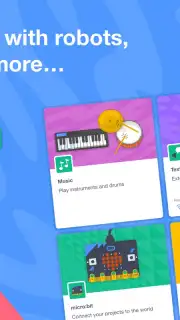
Programming in Scratch is intuitive because it uses a visual, block-based coding language. Instead of typing cryptic syntax, you snap together colorful code blocks like puzzle pieces to control logic, motion, looks, and sound. This hands-on method demystifies core programming principles such as sequences, loops, conditionals, and variables. Furthermore, Scratch extends beyond the screen with hardware integration, connecting to physical devices like the micro:bit, LEGO MINDSTORMS EV3, and others to bring your digital creations into the real world.
- Visual Block Coding Interface: Assemble scripts by dragging and dropping logical blocks, eliminating syntax errors and making computational thinking clear and accessible for beginners.
- Comprehensive Media Library & Editor: Access a vast gallery of characters, scenes, and sounds, plus built-in painting and sound recording tools to create fully custom assets.
- Hardware Integration & Turbo Mode: Connect projects to external devices for tangible interaction and enable Turbo Mode to supercharge performance for processor-intensive games and animations.
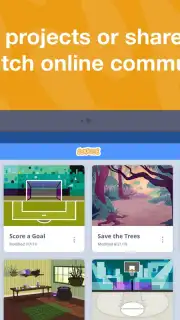
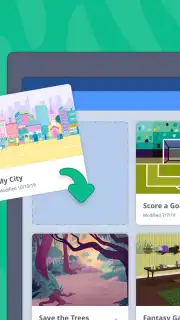
The app provides a full-featured on-the-go studio. You can remix projects from the thriving online community to see how they work, learn new techniques, and then share your own creations directly from your device. It’s a dynamic ecosystem for learning, creating, and collaborating.
We highly recommend trying Scratch to unlock a world of creative coding. It’s the most engaging way to transform ideas into interactive realities and build a solid programming foundation.
Download the Scratch mobile app now and start building your first game today!
Heads up: you'll need a wifi connection for downloading assets, accessing the community, and sharing projects. Some advanced hardware integrations may require additional components.
Information
| Version | 3.0.66-minSdk26 |
| Developer | Scratch Foundation |
| Requirements | Android Android + 8.0+ |
| Updated | 17.03.2026 |
| Size | 75.18 MB |
| Package | org.scratch |
| Signature | f2e06ac7ef69e9fc3d3ae46e27fb7b8c |
| Architecture | universal |


