


Screen Recorder by AppSmartz screenshots (8)
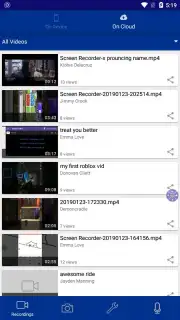
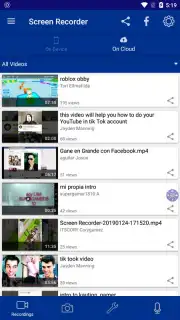
Description Screen Recorder by AppSmartz
Capture Every On-Screen Moment with Precision
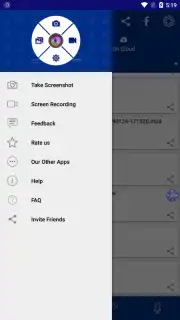
Recording gameplay, tutorials, or app demonstrations directly from your Android device often requires a tool that is both highly configurable and unobtrusive. Screen Recorder by AppSmartz provides a complete capture solution, enabling high-quality video recording of all screen activity with simultaneous front-camera overlay for picture-in-picture commentary. The application places control directly in your hands with customizable recording parameters and a streamlined interface designed for seamless operation.
Core Functionality and Customization
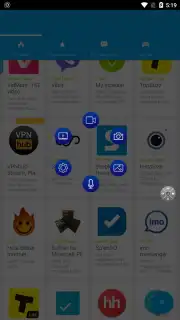
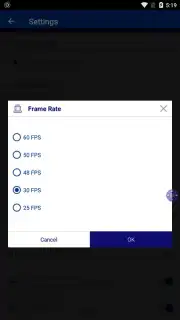
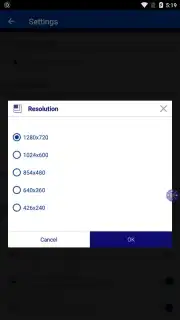
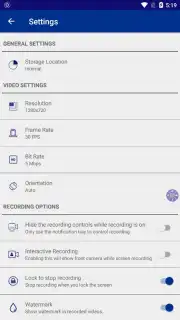
The app delivers full control over your recording output. You can define the exact video resolution, adjust the frame rate for smoother motion, and set the bitrate to balance file size and quality. A floating control button is available for quick access to recording functions; this button can be repositioned anywhere on the screen or disabled entirely through the settings menu. Recordings are saved without watermarks, and the finished videos can be shared directly to social platforms or within the AppSmartz community.
- Dual-Source Capture: Record your device's screen and your front-camera video simultaneously in a single, composited video file.
- Professional Video Settings: Manually configure resolution, frame rate, and bitrate for each recording session to meet specific quality requirements.
- Adaptable Control Interface: Use the movable, translucent on-screen button for instant recording control or disable it for a completely clean capture environment.
Optimized Workflow for Gamers and Creators
The tool is particularly suited for capturing mobile gameplay, software tutorials, and video presentations without interrupting the user experience. The ability to pause and resume recording via the floating button allows for efficient editing during the capture process. For an enhanced experience without promotions, the Turbo option is available.
Download the Screen Recorder by AppSmartz mobile app now and start producing high-definition screen captures immediately!
Internet required. IAP available.
Information
| Version | 10.5.41 |
| Developer | AppSmartz |
| Requirements | Android Android + 7.0+ |
| Updated | 17.03.2026 |
| Size | 23.23 MB |
| Package | com.ezscreenrecorder |
| Signature | 314948eebb85ce5bd637019eae55a3f0 |
| Architecture | arm64-v8a |


