


Screen Recorder - XRec Lite screenshots (6)

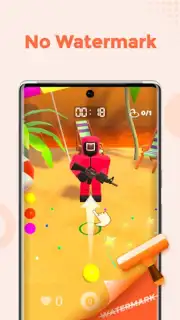
Description Screen Recorder - XRec Lite
Capture Every Moment in Crystal Clarity
Stop missing out on the action on your screen. Whether you're saving a crucial gameplay highlight, creating a detailed tutorial, or recording an important video call, you need a tool that's both powerful and effortless. Screen Recorder - XRec Lite delivers professional-grade recording directly on your device, transforming your Android into a full-featured capture studio without any complicated setup. It’s your one-tap solution to preserve and share anything that happens on your display.
A Full Suite of Recording and Editing Tools
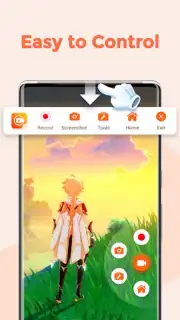
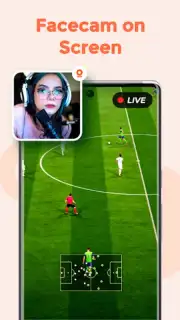
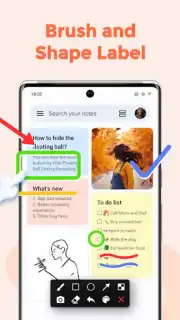
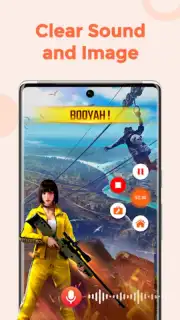
This app provides a comprehensive toolkit for capturing high-quality screen video with immersive audio. Initiate a recording with a single tap from a floating control widget that stays accessible over any other app. You have full control over the recording parameters: choose to capture system audio, your voice via the microphone, or both simultaneously for complete commentary. The built-in video editor lets you trim unwanted sections from the start or end of your clips directly after recording, ensuring you share only the perfect moment. For tutorials or presentations, use the drawing tool to annotate your screen in real-time with different colored pens, making your recordings clear and instructive.
Engineered for Performance and Ease
XRec Lite is designed with a focus on seamless user experience and reliable performance. The interface is clean and intuitive, putting all essential controls one tap away without cluttering your screen. It supports high-resolution recording to ensure your videos look sharp on any platform, from social media to professional presentations. The app operates stably in the background, allowing you to record for extended periods without fear of crashes or dropped frames, capturing everything from quick app demos to lengthy live streams.
- One-Tap Recording Start
- System & Microphone Audio
- Built-In Video Trimmer
- Real-Time Screen Drawing
Don't let another great moment disappear into the digital ether. Take control of your screen's content and create stunning recordings with zero hassle.
Download Screen Recorder - XRec Lite now and start capturing like a pro!
Disclaimer: This app requires a stable internet connection for certain functions and may contain optional in-app purchases. Continued use may consume significant battery and data. Please be aware of your device's storage capacity when recording. This application is intended for general use; users are responsible for complying with all local laws regarding screen recording. Features and requirements are subject to change.
Information
| Version | 1.4.0.1 |
| Developer | InShot Inc. |
| Requirements | Android Android + 5.0+ |
| Updated | 17.03.2026 |
| Size | 6.1 MB |
| Package | videoeditor.videorecorder.screenrecorder.lite |
| Signature | 481670a6a772d346a65e67666d20cc42 |
| Architecture | armeabi-v7a, arm64-v8a |


