

Screenshot UX Trial screenshots (4)
Description Screenshot UX Trial
Effortlessly Capture and Customize Your Android Screen
Standard screenshot methods on Android often lack flexibility, forcing you to use cumbersome button combinations and offering no options for editing or quick sharing. This limitation interrupts your workflow and leaves you with unrefined images. Screenshot UX Trial transforms this basic function into a comprehensive, user-driven process, providing granular control over every step from activation to final export. It eliminates the one-size-fits-all approach, delivering a tailored experience for capturing, annotating, and distributing screen content directly from your phone or tablet.
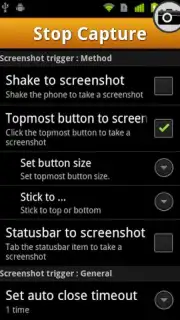
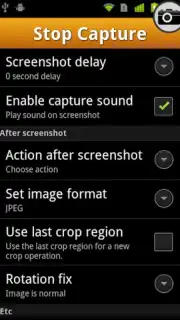
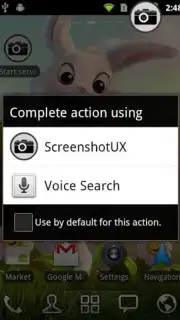
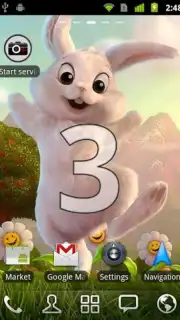
The application's core functionality begins with customizable activation triggers. You can initiate a capture by simply shaking your device or by using a persistent, one-tap shortcut integrated into the status bar for immediate access. Once activated, a configurable delay timer of two to three seconds provides a window to prepare the exact screen state you wish to capture. Following the capture, the tool offers immediate editing capabilities, allowing you to crop the image or draw directly onto it with your finger for annotations and emphasis. Furthermore, it provides control over the output format, letting you save screenshots in JPG or other selected formats. Finally, integrated sharing functions enable you to send the finalized screenshot directly via email, text message, or social media platforms without leaving the app.
- Configure activation by device shake or a permanent status bar shortcut.
- Set a precise 2 to 3-second delay timer before the capture is taken.
- Perform instant edits including cropping and freehand drawing annotations.
- Select your preferred output image format, such as JPG, for saved files.
- Share finished screenshots directly to email, messaging, and social apps.
Don't wait to upgrade your basic screenshot tool. Install Screenshot UX Trial now and immediately gain full command over your screen captures!
This application requires an internet connection for certain sharing features. The developer may offer in-app purchases.
Information
| Version | 1.9.8 |
| Developer | Smart UX |
| Requirements | Android Android + 8+ |
| Updated | 17.03.2026 |
| Size | 308.64 KB |
| Package | com.liveov.shotuxtrial |
| Signature | 7e9fc3480fec681d6232f83cad7d85a9 |
| Architecture | armeabi |


