


Screenshot screenshots (4)
Description Screenshot
Imagine needing to capture a moment on your Android screen, only to find the saved image buried in a confusing folder or cluttered with unwanted interface elements. This common frustration is precisely what the Screenshot app by lovekara is engineered to solve. It transforms the basic system function into a controlled, customizable tool, putting you in command of where and how your screen captures are stored.
Core Functionality and User Control
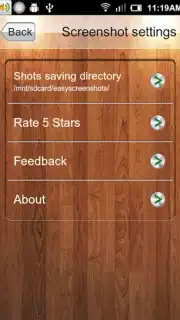
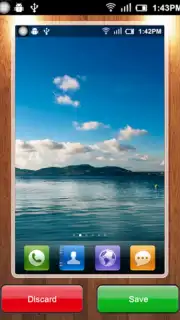
The app provides a streamlined enhancement to the native Android screenshot mechanism. It utilizes the standard hardware button combination—power and volume down—for capture, ensuring broad device compatibility. Its primary utility lies in post-capture management, offering a dedicated preview interface before final saving. This allows for a confirmation step, preventing accidental saves. Users can define a specific custom directory within their device's storage for all screenshots, moving beyond the default and often disorganized system gallery location.
Operational Modes and Configuration
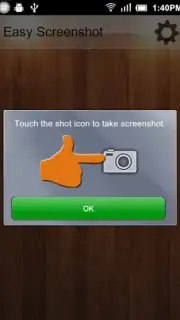
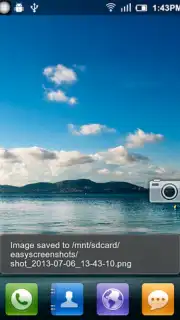
Beyond the standard button method, Screenshot includes an alternative activation mode. Users can enable an on-screen tap function, allowing a screenshot to be taken by a simple touch gesture. This provides flexibility for different user preferences or hardware scenarios. The application integrates a performance optimization system, referred to as Turbo, which is designed to minimize resource usage and enable an ad-free experience throughout the capture and save process.
- Custom Storage Paths: Designate a specific folder for automatic screenshot organization and easy retrieval.
- Mandatory Preview Screen: A confirmation interface appears for every capture before the image is committed to storage.
- Dual Capture Methods: Supports both standard hardware button presses and an optional on-screen tap gesture.
- Ad-Free Operation: The Turbo system ensures functionality without advertising interruptions.
- Lightweight Utility: Functions as a focused tool that enhances the native Android screenshot process without bloat.
Take control of your screen captures and organize your digital snippets efficiently. Download the Screenshot app now and streamline your workflow.
This application requires an internet connection for initial download and may contain optional in-app purchases. Functionality is designed for Android operating systems.
Information
| Version | 3.1.18 |
| Developer | lovekara |
| Requirements | Android Android + 8.0+ |
| Updated | 17.03.2026 |
| Size | 12.18 MB |
| Package | com.enlightment.screenshot |
| Signature | f972a9e807312e2e94457a2cad25b58b |
| Architecture | armeabi-v7a, arm64-v8a |


