


SD Card Manager screenshots (13)
Description SD Card Manager
A Comprehensive File Management Solution for Advanced Android Users
SD Card Manager is not merely another file explorer; it is a precision instrument designed for users who demand granular control over their device's expanded storage. This application transforms the often-fragmented experience of managing files on an SD card into a streamlined, powerful workflow. It serves as a critical bridge between your device's internal logic and the portable storage you rely on, offering functionality that ranges from basic organization to deep system-level access for empowered users. For anyone who has struggled with moving app data, managing large media libraries, or simply wanting a unified view of their storage, this tool provides a definitive answer.
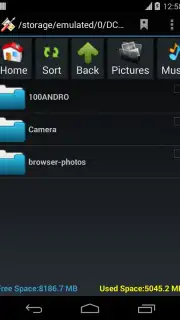
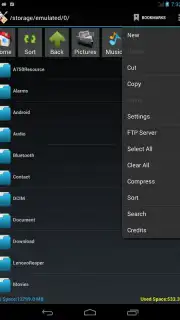
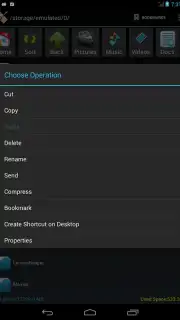
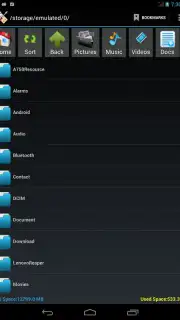
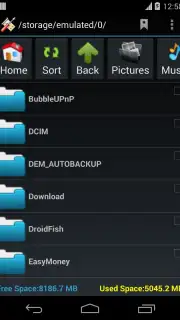
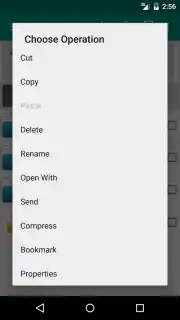
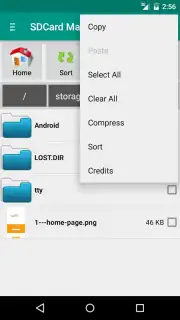
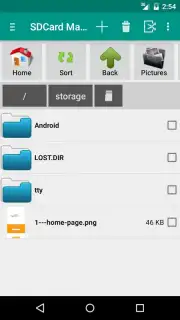
The core of the application is a high-performance dual-pane interface that allows for efficient browsing and file operations. You can seamlessly navigate through directories, with detailed views available in both list and grid formats for optimal clarity. Fundamental actions like cut, copy, paste, rename, create, and delete are executed with minimal latency. Beyond basics, it integrates robust archiving tools, allowing you to compress files into .zip archives or extract a variety of compressed formats directly on the card, saving internal storage space. A real-time storage analyzer provides a visual breakdown of used and free space, identifying which file types are consuming capacity, which is essential for proactive storage management.
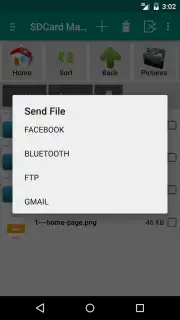
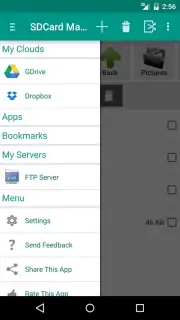
For cloud-centric workflows, SD Card Manager features direct synchronization with Google Drive and Dropbox. This is not a simple file picker; it enables true bidirectional management, letting you upload selections to the cloud or download cloud-stored items directly to any location on your SD card. The application also simplifies the process of sideloading applications by providing a secure and straightforward method to browse for and install .APK files stored on your removable media. Social sharing is deeply integrated, with a dedicated function for uploading photos to Facebook and a comprehensive Bluetooth file transfer system that handles photos, videos, music, documents, and APKs with a consistent, intuitive interface.
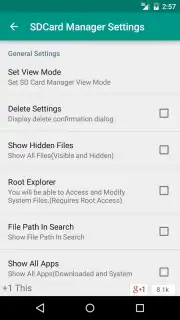
A defining feature for advanced users is the integrated Root Explorer. On devices with root access, this module unlocks the ability to view, modify, and manage the entire Android file system, including protected system directories and app data folders. This provides an unparalleled level of control for customization, backup, or troubleshooting. The application supports a wide international user base with a multilingual interface available in English, German, Spanish, Russian, Japanese, Korean, Dutch, Italian, and Hindi. Further enhancing daily usability, you can create direct shortcuts to frequently accessed folders right on your device's home screen for instantaneous access.
- Direct cloud service integration (Google Drive, Dropbox)
- Root Explorer for system file access
- APK installation from SD card
- File compression and extraction tools
This level of detailed file control is rarely bundled into a single, efficient package. For a limited time, new users can access the full suite of professional file management tools without restrictive advertising. Download SD Card Manager now to transform your SD card from simple storage into a powerfully managed extension of your device.
Internet required. IAP available.
Information
| Version | 488 |
| Developer | apps4u@android |
| Requirements | Android Android + 4.0.3, 4.0.4+ |
| Updated | 17.03.2026 |
| Size | 3.83 MB |
| Package | my.mobi.android.apps4u.sdcardmanager |
| Signature | bf854eadfaa5dff59940f0a75a69b849 |
| Architecture | universal |


