


sDraw screenshots (8)



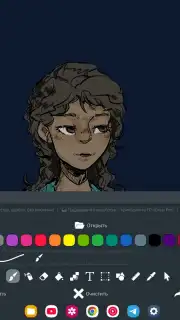
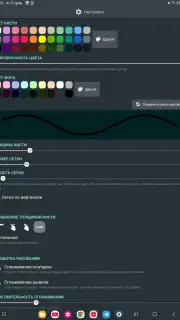
Description sDraw
Tired of Bloated, Ad-Ridden Drawing Apps?
You just want to sketch an idea, but you’re met with slow loading times, confusing menus, and intrusive ads that shatter your creative flow. It feels like the app itself is the biggest obstacle between your imagination and the canvas. What if you could bypass all that friction entirely? Imagine tapping an icon and being in a drawing environment instantly, with every tool responsive and ready. That immediate, pure creative session is exactly what sDraw delivers. This ultra-lightweight app strips away everything that slows you down, putting the focus back where it belongs: on your art.
Engineered for Uninterrupted Creation
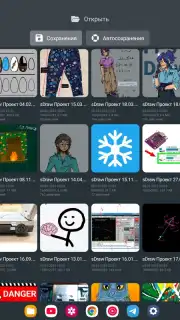
sDraw is built on a philosophy of minimal interference and maximum utility. It understands that your process is personal, so it provides powerful customization without forcing complexity upon you. The interface can be tailored to your touch, allowing you to change even the shape of buttons for a layout that feels intuitively yours. Helpful tips are available precisely when you need them, acting as a quiet guide rather than a persistent distraction. For artists who value precision, full support for styluses like the sPen and Active Pen transforms your device into a natural digital sketchbook. Your work is protected with automatic backup, so you can experiment freely without fear. Crucially, the entire experience is liberated from advertisements, ensuring your focus remains unbroken from the first stroke to the final detail.
A Comprehensive Yet Lightweight Toolkit
Despite its incredibly small footprint—under 1 MB—sDraw packs a full suite of professional-grade tools designed for both quick drafts and detailed work.
- Core Drawing & Editing: Brush and Eraser | Fill Tool | Text Tool
- Selection & Manipulation: Selection Tool | Shapes Tool | Ruler Tool
- Precision Utilities: Color Picker (Pipette) | Mosaic Tool | Precision Brush
- Smart Controls: Volume button support for quick function access
- Universal Performance: Runs smoothly even on legacy systems like Android 2.3.
This is a no-compromise environment. You get a rich set of features housed in an app so lean it installs in a heartbeat and runs on virtually any Android device, proving that powerful creative software doesn't need to be bulky or demanding.
Don't just think about creating—start creating. Download sDraw now and experience the fastest path from your mind to the canvas. Get it immediately!
Disclaimer: This application requires an internet connection for initial download and potential updates. The app may contain in-app purchases (IAP) for additional features or the 'Turbo' experience. Please check the product description for specific age ratings. Data usage may apply depending on your backup and sync settings.
Information
| Version | 9.7 |
| Developer | Fsoft Production |
| Requirements | Android Android 10+ |
| Updated | 07.09.2026 |
| Size | 1.03 MB |
| Package | com.fsoft.FP_sDraw |
| Signature | D4:E5:62:DD:67:CF:F0:4D:F5:1C:C4:95:DF:C4:06:ED:94:48:A0:0A |


