

Secure Folder (Samsung) screenshots (3)
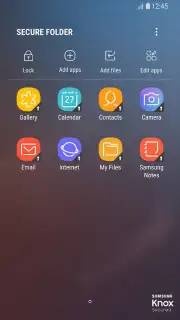
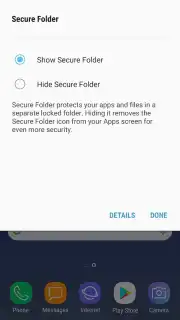
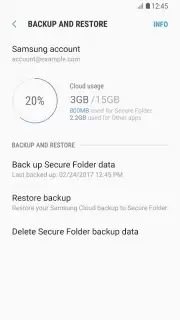
Description Secure Folder (Samsung)
Ever wish you had a secret vault right on your phone, a place where your private photos, sensitive documents, and personal conversations were completely invisible to anyone else? What if your Samsung phone could offer you exactly that—a locked digital space that’s as secure as a bank safe?
Welcome to Secure Folder by Samsung, your personal privacy guardian. This isn't just another app locker; it's a fully integrated, fortress-like environment built directly into your Samsung device. Imagine having a separate, encrypted space on your phone that only you can access. You set the rules with a unique PIN, pattern, or password, creating an invisible barrier around your most private life. The moment you move a file into the Secure Folder, it vanishes from your main gallery and file manager, shielded from prying eyes during casual phone sharing or even a quick charger plug-in at a friend's house.
The magic happens in how thoroughly it protects your digital footprint. You're not just hiding apps; you're creating secure, duplicate versions of them. That means you can have two separate social media accounts, a private gallery for personal memories, and a hidden contact list—all running in their own isolated, secure ecosystem. Even sophisticated attempts to breach your phone's security trigger immediate lockdowns. If someone tries to access your phone via a computer connection or attempts an unauthorized modification, Secure Folder instantly seals itself, rendering all protected content completely inaccessible. It’s peace of mind engineered into your device, working silently and powerfully in the background.
Why Your Samsung Phone Needs Secure Folder
- Create an encrypted private vault with a PIN, pattern, or biometric lock for ultimate access control.
- Hide and isolate personal photos, videos, and documents instantly by moving them into the secure zone.
- Run dual, completely separate instances of apps like messaging or social media for work and personal life.
- Automatically block all access when the phone is connected to a PC or detects a security compromise.
- Enjoy a pristine, ad-free experience with optimized performance that doesn’t slow down your device.
This is your exclusive invitation to reclaim your digital privacy. For a limited time, experience the premium, built-in security that Samsung designed specifically for your device. Why leave your personal data exposed for another day? Download Secure Folder now and activate your phone's hidden defense system. Exclusive, seamless protection is just one tap away.
Disclaimer: This application requires an internet connection for initial setup and certain verification processes. It is a system application provided by Samsung Electronics Co., Ltd. for compatible Samsung devices running Android 7.0 (Nougat) or higher. Use is subject to Samsung's terms and conditions. The app utilizes device storage and system resources to maintain the secure, encrypted environment. Age restrictions may apply based on regional regulations.
Information
| Version | 2.0.20.56 |
| Developer | Samsung Electronics Co., Ltd. |
| Requirements | Android Android + 16+ |
| Updated | 17.03.2026 |
| Size | 16.35 MB |
| Package | com.samsung.knox.securefolder |
| Signature | d087e72912fba064cafa78dc34aea839 |
| Architecture | arm64-v8a |


