

Share it screenshots (11)


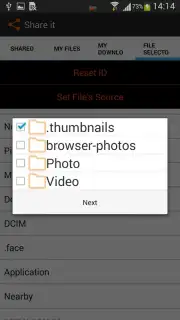
Description Share it
Looking for a streamlined way to share files directly between devices?
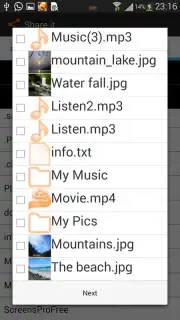
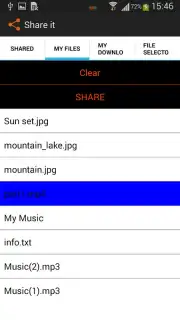
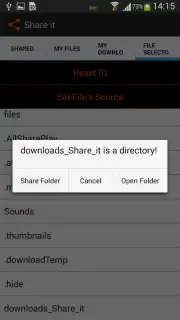
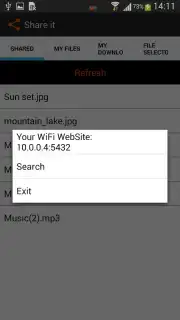
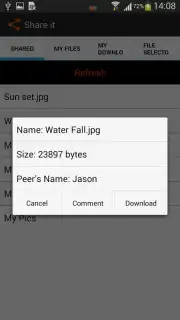
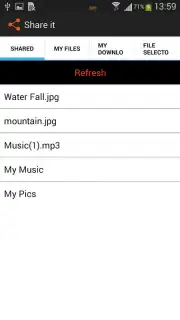
Share It presents a focused solution for transferring files and folders locally, eliminating reliance on cloud services or email attachments. Its core functionality operates over a shared Wi-Fi connection: you select files, make them public on your chosen network, and other users on that same network can access them directly. This method facilitates quick sharing of multiple items or entire folders without uploading data to an external server. For situations where a common Wi-Fi network is unavailable, the app seamlessly defaults to using a direct Bluetooth connection, requiring only that both devices have Bluetooth capability enabled. This dual-mode approach ensures a basic level of connectivity in various environments.
A significant operational detail is the absence of advertising within the app, which contributes to an uninterrupted user experience. The review indicates the potential for enhanced transfer speeds, possibly referenced by a 'Turbo' mode, though the exact mechanics of this feature would require user testing. Beyond mobile-to-mobile transfers, the application's utility extends to cross-platform exchanges, allowing users to share documents stored on a connected PC or Mac computer. This positions Share It as a practical tool for local network-based file management rather than just a simple sender.
Core Functionality and Features
- Enables direct file and folder sharing over a common local Wi-Fi network.
- Provides a fallback Bluetooth transfer mode when Wi-Fi is not available.
- Operates without in-app advertisements for a clean user interface.
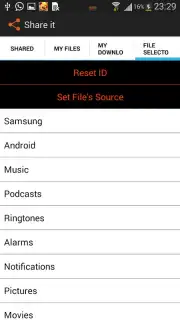
- Supports cross-platform file transfers from PCs and Macs to mobile devices.
- Utilizes a simple selection and publish workflow for quick sharing setup.
The app’s design prioritizes direct device-to-device communication. The Wi-Fi sharing mode is particularly effective in stable, controlled environments like offices or homes, while Bluetooth offers a vital alternative for impromptu sharing. The lack of ads is a notable quality-of-life feature that differentiates it from many free utility apps. The ability to pull files from a computer broadens its use case from simple phone-to-phone sharing to acting as a lightweight bridge for desktop file access.
Download Share It now! Get this efficient transfer tool on your device immediately and start sharing files directly.
Disclaimer: This application requires an internet connection for initial download and may require local network or Bluetooth permissions. Features are subject to change. Data usage applies when downloading the app. Please check your device's compatibility and any potential in-app purchase options within the app store listing. Use in accordance with applicable terms and age restrictions.
Information
| Version | 2.3.7 |
| Developer | Share it app |
| Requirements | Android Android + 10.9 Mavericks+ |
| Updated | 17.03.2026 |
| Size | 2.75 MB |
| Package | com.Shareitapplication.shareit |
| Signature | 48e8f07c8be0c628f49d72edcf7e7665 |


