


Shortcut Maker screenshots (9)
Description Shortcut Maker
Streamline Your Android Experience with Direct Access Shortcuts
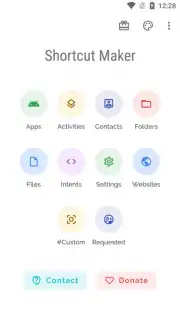
Managing a smartphone often involves navigating through multiple menus and subfolders to reach a specific function, which can be inefficient for daily use. This application addresses that by providing a utility for generating direct-launch shortcuts not only to applications but to precise internal activities and sections within them. It transforms complex navigation paths into single-tap operations accessible directly from your home screen. The tool offers extensive graphical customization for each shortcut, allowing you to modify icons and labels to fit your personal aesthetic or organizational system.
Core Functionality and Customization Tools
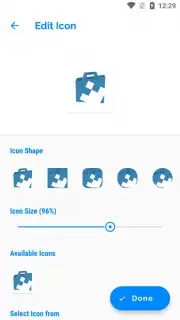
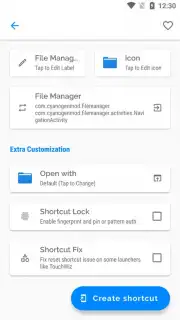
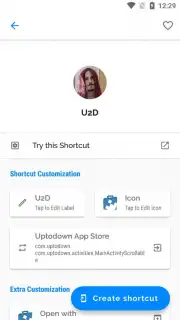
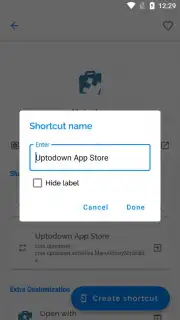
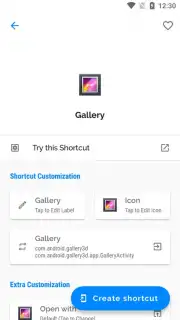
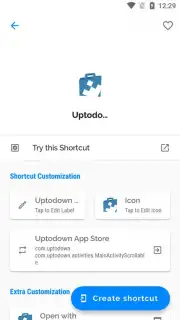
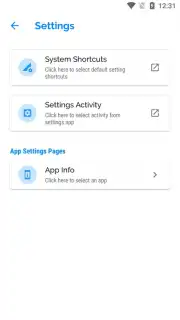
The primary operation involves selecting a target—be it a full application, a specific settings menu, an internal activity like a camera mode, or a designated folder within your file system. The process is structured through a sequential menu that guides you from target selection to final visual customization. Following creation, each shortcut is fully editable; you can alter its launch target, rename its label, or redesign its icon without limitation. The icon editor supports the use of any image file from your device's local storage, allowing for the application of personal photos or downloaded graphics as shortcut icons.
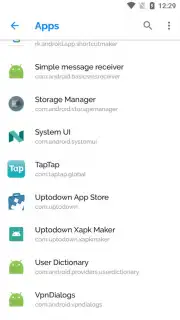
A significant functional layer is the ability to create shortcuts for activities, which are specific tasks or screens within other installed applications. This means you can place a shortcut that opens directly to a compose new message window in your email client, a specific playlist in your music player, or a particular document folder in your file manager. This bypasses the default home screen of the parent application, saving multiple taps and streamlining your workflow. The interface for discovering these activities is integrated, presenting a list of available actions from the selected target app.
Key Features
- Create shortcuts for apps and internal activities
- Full icon customization using gallery images
- Edit or update shortcuts at any time
- Direct shortcuts to specific app menus
For a limited time, new users can access the full suite of shortcut creation and customization tools with exclusive priority. This offer is today only, providing unrestricted capability to personalize your device's interface and functionality. Do not miss the chance to transform your navigation efficiency.
Download the mobile app now.
Disclaimer: This application requires an active internet connection for initial functionality verification and may contain optional in-app purchases for advanced features. Data usage may apply. It is intended for general audiences but may require device permissions for storage access to customize icons. The developer is not responsible for modifications made to system launchers or device performance. Use in accordance with your device's terms of service.
Information
| Version | 4.2.4 |
| Developer | Android_RK |
| Requirements | Android Android + 7.0+ |
| Updated | 17.03.2026 |
| Size | 3.89 MB |
| Package | rk.android.app.shortcutmaker |
| Signature | 7d8d1ca5ba0f349af3108a4b880bb27b |
| Architecture | universal |


