

SiMi Folder Widget screenshots (4)
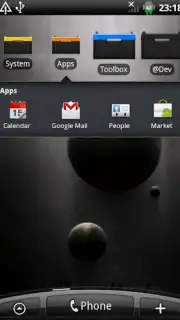
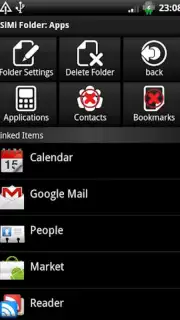
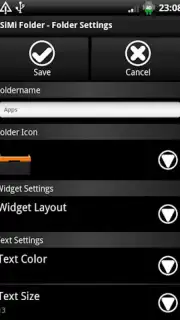
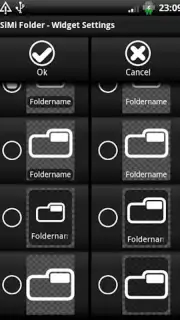
Description SiMi Folder Widget
Tired of a cluttered home screen that slows you down every single day?
Imagine reaching for your most-used apps, your essential tools, or your favorite games, only to get lost in a sea of icons. It’s frustrating, it wastes precious seconds, and it makes your phone feel chaotic instead of empowering. What if you could transform that clutter into a sleek, organized command center with just a single tap? That’s the promise of SiMi Folder Widget—a powerful personalization tool that turns your Android home screen into a model of efficiency and style. You get to design a layout that works for your brain, putting everything you need right where your thumb expects it to be.
Craft a perfectly organized home screen with intuitive widgets
SiMi Folder Widget hands you the creative control to build a home screen that’s uniquely yours. You start by creating smart folders that can hold multiple apps, contacts, or shortcuts. The real magic happens when you place these folders as interactive widgets directly on your home screen. With a simple tap, a folder expands gracefully to reveal all its contents, and with another tap, it collapses back into a neat, customizable icon. You’re not just organizing apps; you’re designing an interactive dashboard. Choose from a variety of widget sizes to fit your layout, apply your favorite icons or images to personalize each folder’s appearance, and arrange them in a grid that makes visual sense to you. The experience is all about fluid, seamless access—transforming your daily interactions from a chore into a pleasure.
Why your home screen will feel faster and more personal
The core advantage here is a profound sense of order that saves you time and mental energy every day. Instead of swiping through multiple pages or digging into the app drawer, you create a one-page solution that adapts to your life. The widget system is remarkably lightweight, ensuring smooth animations and reliable performance even on older devices. You gain deep visual customization, allowing your personality to shine through with every icon and background. Ultimately, it’s about reclaiming your digital space and making your phone an extension of your workflow, not an obstacle to it.
- Create expandable folder widgets for instant app and shortcut access
- Fully customize widget icons, labels, and background styles
- Utilize multiple widget sizes for a perfect layout fit
- Enjoy a lightweight design with smooth, lag-free performance
- Organize contacts, apps, and settings in one centralized place
We suggest trying SiMi Folder Widget to finally declutter your digital life and build a home screen that’s both beautiful and brilliantly efficient. Consider downloading it now and feel the difference from the very first folder you create.
Requires an internet connection for initial setup and potential feature updates. The app may offer optional in-app purchases for advanced customization packs.
Information
| Version | 2.3 |
| Developer | hateman |
| Requirements | Android Android + 1.6+ |
| Updated | 17.03.2026 |
| Size | 607 KB |
| Package | com.th.android.widget.SiMiFolder |
| Signature | b73266f7532bf68a7fcc4e957bccf655 |


