

Skitch screenshots (6)


Description Skitch
Ever Wished You Could Just Draw on the World?
Imagine you're looking at a complex map, a dense PDF, or a screenshot full of details. You need to point something out, highlight a section, or add a quick note. Instead of fumbling with separate apps or typing long emails, you simply reach out and mark it up directly, as naturally as pointing your finger. That instant, intuitive clarity is exactly what Skitch brings to your Android device. It transforms your screen into a digital whiteboard for absolutely anything you can see.
Skitch, crafted by the Evernote Corporation, is your all-in-one visual communication toolbox. It understands that your ideas don't fit into neat categories, so it lets you work seamlessly across photos, maps, web pages, PDFs, or a blank canvas. A simple swipe is your gateway to any media type. Then, your finger becomes a powerful marker, arrow, text box, or highlighter. This isn't just about making notes; it's about making your thoughts instantly visible and perfectly clear to anyone.
Your Finger Is the Most Powerful Tool You Have
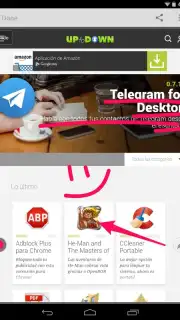
The magic of Skitch lies in its beautifully simple yet deeply capable interface. Every tool feels designed for the moment you need it. Need to annotate a photo to show a friend where to meet? Draw a bright arrow. Need to provide feedback on a document? Use the precise text tool and underline key points. Planning a trip? Drop pins and scribble routes directly onto a map. The app even includes clever tools like pixelation for censoring sensitive info in screenshots instantly. Once your masterpiece of clarity is complete, sharing is effortless—send your annotated creation through any app on your device, from email to messaging to social networks.
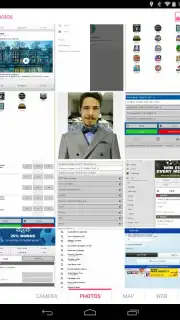
- Universal Canvas: Work on anything—photos, maps, live websites, PDFs, or start fresh with a blank page. Swipe to switch contexts in an instant.
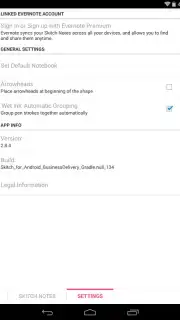
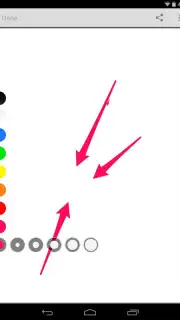
- Intuitive Markup Toolkit: Access a full suite of tools including multi-colored markers, shapes, arrows, text insertion with fonts, highlighters, and pixelation for blurring.
- Frictionless Sharing: Export your annotated images directly to your gallery or share them in one tap to any other application installed on your Android device.
- Distraction-Free Experience: Enjoy a clean, ad-free interface designed purely for productivity and clear communication.
- Turbocharged Performance: Optional upgrades can unlock even faster processing and exclusive advanced features for power users.
This is more than a utility; it’s a new way to see, think, and explain. Whether you’re a student, a project manager, a designer, or someone who just needs to get a point across visually, Skitch empowers you to communicate with speed and precision that words alone can’t match.
Ready to start drawing your ideas to life? Download Skitch for Android now—exclusive, streamlined access for new users is live today. Transform how you explain everything before this offer updates!
Heads up: you'll need wifi for initial setup and for loading web pages/maps within the app. Some cool advanced features and tools are part of optional premium upgrades.
Information
| Version | 2.8.5 |
| Developer | Evernote Corporation |
| Requirements | Android Android + 4.0, 4.0.1, 4.0.2+ |
| Updated | 17.03.2026 |
| Size | 7.17 MB |
| Package | com.evernote.skitch |
| Signature | 8868f43f9fdaa9355cc6ce19de5bebe0 |
| Architecture | armeabi-v7a |


