


Smart Launcher 6 screenshots (14)



Description Smart Launcher 6
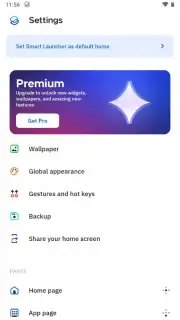
What if your phone's interface was designed not for generic users, but specifically for you? Smart Launcher 6 is an Android launcher application that fundamentally rethinks the home screen, replacing the standard grid of icons with a streamlined, intelligent, and highly personalized environment. It operates on a principle of predictive utility, aiming to reduce the time and effort spent navigating your device by placing essential functions and applications within immediate reach.
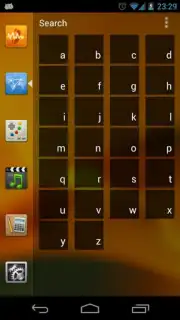
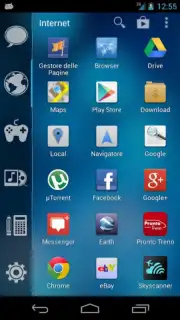
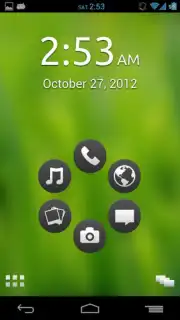
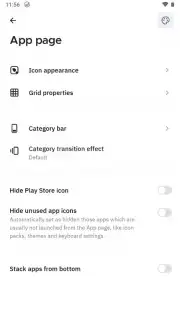
The core mechanic involves a reimagined layout where your most-used apps are dynamically prioritized, while the entire app library is accessible through a simple gesture—like a swipe from the upper-left corner of the lock screen. This bypasses the traditional unlock-then-search routine, creating a direct pathway to your tools and entertainment. Beyond mere access, the launcher employs an automatic categorization system. It intelligently sorts all installed applications into distinct, logical groups such as Internet, Multimedia, and Games, eliminating the manual chore of organizing icons into folders. This categorization is not static; it learns from your usage patterns to refine its accuracy over time.
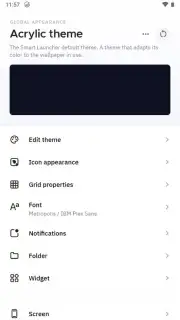
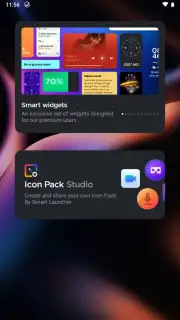
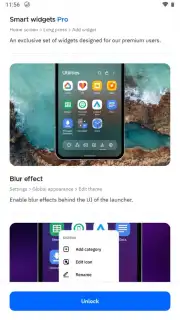
A significant operational advantage is the optional Turbo mode. Activating this feature removes any promotional content and unlocks a suite of performance and customization enhancements, resulting in a cleaner visual experience and potentially smoother animations. The overall design philosophy prioritizes speed and minimalism, reducing visual clutter to help you interact with your device's functions more efficiently, not just more quickly.
Key Features & Operational Analysis
- Gesture-Controlled App Drawer: Instantly access your full app catalog from the lock screen with a swipe from the upper-left corner.
- Automatic App Categorization: Applications are intelligently sorted into relevant groups (Internet, Media, Games) without manual input.
- Turbo Mode Enhancement: Unlocks an ad-free experience with additional performance tuning and customization options.
- Predictive Home Screen Layout: Dynamically surfaces frequently used apps and widgets based on your daily habits.
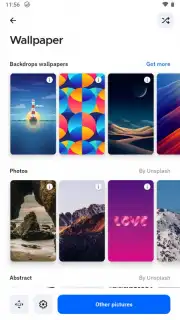
- Streamlined Visual Interface: Offers a minimalist, clutter-free home screen designed for rapid navigation and focus.
This is not a superficial theme change; it's a systemic overhaul of your phone's interaction layer. The value proposition lies in its passive intelligence—organizing your digital space so you don't have to—coupled with active tools for faster access.
Don't wait to reclaim efficiency from your device. Download Smart Launcher 6 now and experience a genuinely personalized Android interface today!
Note: This application requires an internet connection for initial setup and certain features. The Turbo mode may be offered as an optional in-app purchase.
Information
| Version | 6.6 build 016 |
| Developer | Smart Launcher Team |
| Requirements | Android Android 10+ |
| Updated | 15.09.2026 |
| Size | 26.06 MB |
| Package | ginlemon.flowerfree |
| Signature | dfaab993de750d7b5430bbd4217472311d94f9d0 |
| Architecture | armeabi-v7a |


