


Solid Explorer File Manager screenshots (6)

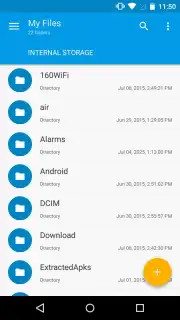
Description Solid Explorer File Manager
A File Manager That Replaces Multiple Tools
Managing files across local storage, SD cards, and cloud services on Android often requires switching between several apps, leading to a fragmented and inefficient workflow. Solid Explorer File Manager consolidates these functions into a single, dual-pane interface, providing direct system access and eliminating the need for separate archive or cloud storage apps. Its operation is based on a practical design that prioritizes direct file manipulation and broad format support over superficial customization.
Core Functionality and Interface Mechanics
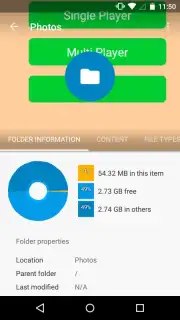
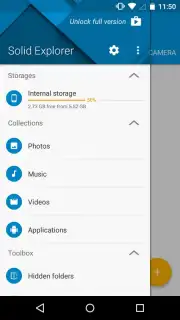
The application utilizes a two-pane layout, allowing users to view two separate directories simultaneously. This design enables drag-and-drop file transfers between panes, which is a more efficient method compared to single-window managers that require multiple navigation steps. The app provides root access to the standard device storage path (/storage/emulated/0) for complete file system exploration. It also automatically indexes and categorizes media files into dedicated sections—Photos, Music, Video, and Apps—creating a streamlined library for quick access to common file types without manual sorting.
Extended Capabilities and Integration
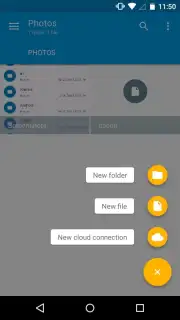
Beyond basic file operations, Solid Explorer includes integrated archive handling. It can natively browse, extract, and create compressed files in ZIP, 7ZIP, RAR, and TAR formats without requiring a secondary utility. The app extends its functionality to encrypted archives, providing access to password-protected content. Furthermore, it incorporates cloud storage management, enabling direct connection to services like Dropbox and Google Drive. Users can move files between local storage and cloud accounts within the same dual-pane interface, treating cloud directories as native folders. The Turbo version of the app removes all advertising and unlocks additional features for enhanced productivity.
- Dual-Pane Navigation: Enables simultaneous browsing of two locations for efficient file management and transfer.
- Full Storage Access: Provides direct exploration of the Android file system starting from the primary emulated storage path.
- Automatic Media Cataloging: Indexes and sorts photos, music, videos, and apps into dedicated access categories.
- Integrated Archive Support: Handles browsing and extraction for ZIP, 7ZIP, RAR, TAR, and encrypted archive files.
- Cloud Service Integration: Manages files stored on Dropbox and Google Drive directly within the main application interface.
Start organizing your local and cloud storage with professional efficiency today.
Download Solid Explorer File Manager now.
Disclaimer: This application requires an internet connection for cloud service features and optional premium license verification. The Turbo version is a paid upgrade with a one-time purchase. The app may request permissions to access device storage, media files, and network connections for core functionality. Data usage may apply when syncing with cloud services. Please review the developer's privacy policy for details on data handling. This app is intended for general audiences.
Information
| Version | 3.4.2 |
| Developer | NeatBytes |
| Requirements | Android Android + 6.0+ |
| Updated | 17.03.2026 |
| Size | 18.87 MB |
| Package | pl.solidexplorer2 |
| Signature | accb9559264c1371e6d896e2ce532b4f |
| Architecture | armeabi-v7a, arm64-v8a |


