

Sony Album screenshots (7)




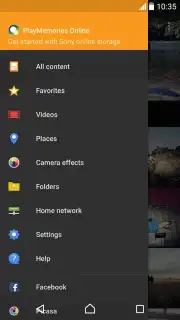

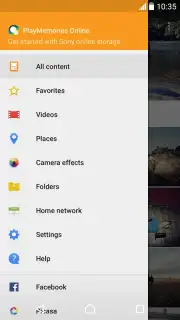
Description Sony Album
Ever feel like your photo library is a chaotic digital attic, filled with forgotten moments? What if you could transform that clutter into a beautifully curated visual story, effortlessly?
Your Photos, Sorted and Celebrated
Sony Album steps in as your intelligent photo curator. It moves beyond a simple gallery, actively organizing your memories. The app automatically scans your device, grouping photos into smart albums based on dates, locations, and even the subjects it recognizes. You’ll watch as events like "Beach Trip 2023" or "Weekend with Friends" assemble themselves, saving you hours of manual sorting. It’s like having a personal archivist for your life’s highlights, making every photo easy to find and enjoy again.
Powerful, Yet Simple Editing at Your Fingertips
Found the perfect shot but it needs a small tweak? Built-in editing tools let you enhance moments without leaving the app. Adjust brightness and contrast with a slider, apply subtle filters to set a mood, or straighten a horizon in a tap. The focus is on quick, powerful adjustments that respect the original image, allowing you to polish a photo and share it in moments. It’s all the control you need, presented without overwhelming complexity.
Relive Your Memories in Stunning New Ways
The experience goes beyond static grids. Dive into a dynamic timeline view to scroll through your years in a fluid, nostalgic journey. For a more cinematic feel, the app can create automatic video highlights set to music, turning a day at the park or a family gathering into a shareable movie. View your photos on a map to visually retrace your travels. Each feature is designed to make revisiting your memories as engaging as the moment you captured them.
Here’s what makes Sony Album your essential photo companion:
- Smart Automatic Organization: Photos are automatically sorted into events and albums by date, location, and content, eliminating manual clutter.
- Effortless Photo & Video Management: A unified library for all your media with intuitive browsing, searching, and bulk selection tools.
- Built-in Photo Enhancer: Essential editing tools like crop, rotate, filters, and light adjustment let you perfect any image instantly.
- Dynamic Memory Formats: Enjoy automatic video collages and story creations that bring your albums to life with music and transitions.
- Seamless Cloud Integration: Safely back up your memories and access your entire photo collection from any device with linked cloud services.
- Clean, Intuitive Interface: A focus on your photos with a minimalist design that makes navigation smooth and visually pleasing.
- Private and Secure: Robust privacy controls keep your personal memories exactly where they belong—in your hands.
We suggest trying Sony Album to finally bring order and joy back to your photo collection. Consider downloading it today and see your memories in a whole new light.
Download the Sony Album app now.
Heads up: you'll need wifi for initial cloud sync and backup features. Some advanced editing filters and extra cloud storage are part of optional services. The app requires Android 4.4 or later.
Information
| Version | 9.9.A.0.20 |
| Developer | Sony Mobile Communications |
| Requirements | Android Android + 4.4+ |
| Updated | 17.03.2026 |
| Size | 20.01 MB |
| Package | com.sonyericsson.album |
| Signature | 9e5b0111e0408bb405c819ea0784b69d |
| Architecture | armeabi-v7a, arm64-v8a |


